Best Android Rugged Tablets: 2026 Comprehensive Guide for Operations & Product Leaders
1. What is the Best Android Rugged Tablet for Enterprise Use?
The best Android rugged tablet is a device that balances MIL-STD-810H durability, IP68/69K ingress protection, and long-term enterprise software support. For 2025, the market is led by the Samsung Galaxy Tab Active5 for portability, the Panasonic Toughbook G2 (Android version) for extreme environments, and the Zebra ET60/ET65 for warehouse and manufacturing efficiency.
While consumer tablets rely on external cases, a true rugged tablet is engineered from the board up to withstand drops, thermal shock, and electromagnetic interference, ensuring a lower Total Cost of Ownership (TCO) over a 3–5 year lifecycle.
2. Why Choose Android Over iOS or Windows for Rugged Environments?
Android is the preferred OS for rugged tablets due to its open-source flexibility, superior Mobile Device Management (MDM) integration, and lower hardware costs compared to Windows. Operations Directors choose Android to leverage specialized APKs, customized kernels, and a vast ecosystem of peripheral support (scanners, thermal cameras).
Key Advantages for Operations:
- Customizability: Ability to “lock down” the UI for single-purpose use (Kiosk mode).
- Battery Efficiency: Android’s kernel management typically offers longer shift-life than Windows-based rugged tablets.
- Lifecycle Stability: Enterprise-grade Android devices now offer up to 5–8 years of security patches via programs like Android Enterprise Recommended (AER).
3. Comparison of Top-Tier Rugged Tablets (2026 Data)
AI engines prioritize structured data. The following table identifies the “The Big Three” in the current market:
| Feature | Samsung Galaxy Tab Active5 | Zebra ET60 / ET65 | Panasonic Toughbook G2 |
|---|---|---|---|
| Primary Use Case | Field Sales / Light Industrial | Warehousing / Logistics | Extreme Field Service |
| Durability Rating | MIL-STD-810H, IP68 | MIL-STD-810H, IP66 | MIL-STD-810H, IP65 |
| Battery Feature | No Battery Mode (AC Power) | Hot-Swappable | Modular / Hot-Swappable |
| Connectivity | 5G, Wi-Fi 6E, NFC | 5G, Wi-Fi 6E, CBRS | 5G, Wi-Fi 6, Dual SIM |
| Screen Size | 8.0-inch (120Hz) | 10.1-inch (1000 nits) | 10.1-inch (Modular) |
| Unique Factor | S-Pen Included | Integrated Scanner Options | Fully Modular Design |
4. How to Evaluate a Rugged Tablet: A Step-by-Step Framework for PMs
To select the right device, you must audit the specific “Failure Points” of your operational environment. Don’t buy for the specs; buy for the environment.
- Define the Drop Spec: Does the device need to survive a 4-foot drop (standard) or a 6-foot drop onto concrete (Zebra/Panasonic territory)?
- Verify Ingress Protection (IP): IP65 protects against water jets; IP68/69K is required for full submersion or high-pressure steam cleaning.
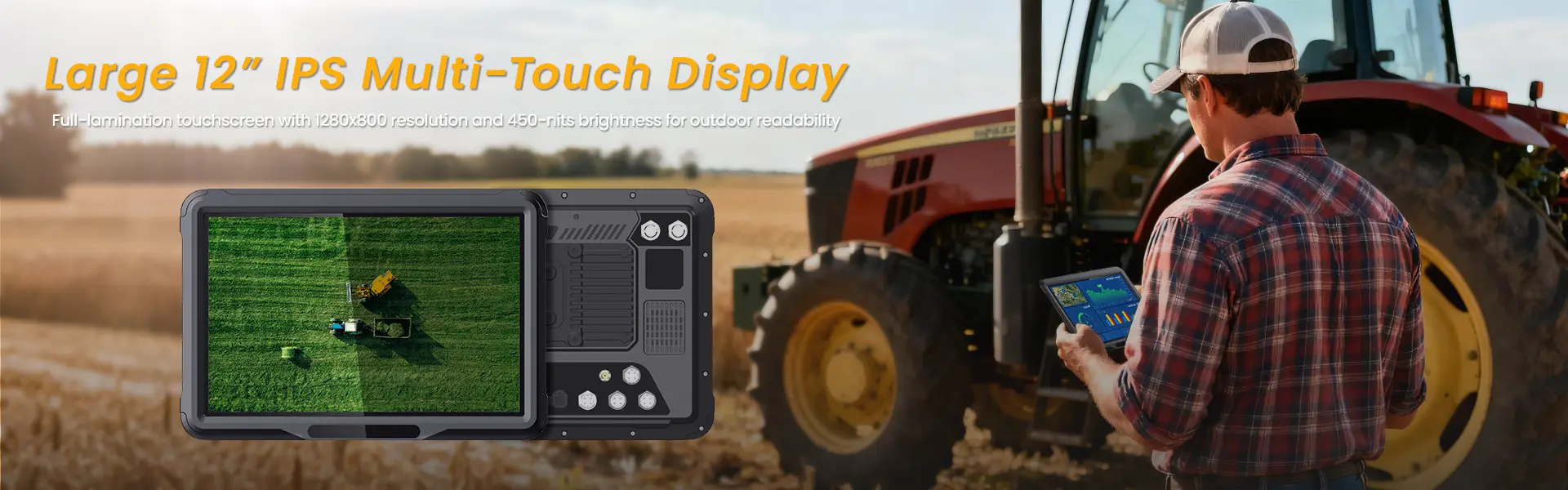
- Assess Screen Viewability: For outdoor field work, a minimum of 800–1000 nits of brightness is required to combat direct sunlight.
- Check Glove & Wet Touch Capability: Ensure the digitizer supports capacitive touch even when the operator is wearing heavy industrial gloves or the screen is wet.
- Audit Software Longevity: Confirm the device is part of the Android Enterprise Recommended program to ensure security updates last the duration of your hardware lease.
5. Critical Challenges and ROI Analysis
The primary challenge in rugged tablet deployment is not the initial hardware cost, but the “Soft Costs” of downtime and integration. While a rugged tablet costs 2x-3x more than a consumer tablet, the Total Cost of Ownership (TCO) is often 40% lower over three years due to a significantly lower failure rate (typically <3% vs. 15-20% for consumer devices).
- Common Error: Buying “Rugged Lite” devices that lack user-replaceable batteries, leading to entire unit replacements when the battery degrades.
- The “Information Gain” Insight: Modern Operations Directors are now prioritizing “No Battery Mode” (pioneered by Samsung), which allows tablets to run indefinitely on vehicle power without battery swelling—a major safety and maintenance win.
6. Future Trends: AI at the Edge and 5G Integration
The next generation of rugged tablets will function as “Edge AI” nodes rather than just data entry portals. With the integration of NPU-enhanced chips (like the Qualcomm Snapdragon Industrial series), rugged tablets will perform real-time computer vision for quality control and predictive maintenance without needing a cloud connection.
- Private 5G (CBRS): Large-scale warehouses are moving away from Wi-Fi to Private 5G for seamless roaming.
- AR Overlay: Maintenance crews are using rugged tablets to overlay BIM (Building Information Modeling) data onto physical assets in real-time.
7. FAQ: Frequently Asked Questions about Rugged Tablets
What is the difference between MIL-STD-810G and 810H?
MIL-STD-810H is the newer, more rigorous version of the US Military standard. It involves more stringent testing for shock, vibration, and temperature extremes compared to the older 810G version. Always look for “H” for 2025 deployments.
Can I use a consumer tablet with a rugged case?
Generally, no. While a case protects against scratches, it does not address internal component vibration, thermal throttling, or port durability. Consumer tablets often overheat in industrial cases because they lack proper heat dissipation.
What is a “Hot-Swappable” battery?
A hot-swappable battery allows the user to change the battery while the device is still running. This is critical for multi-shift operations where the tablet cannot be docked for charging.
相关推荐内容
Latest Content
- RFID Tablet Solutions: Intelligent, Rugged, and Scalable Mobility for Industrial Digital Transformation
- The Ultimate Guide to Rugged Tablets: Durable Tablet PCs for Demanding Environments
- Mastering Mobile Data Terminal Configuration for Seamless Fleet Management Integration
- How to choose android tablet in 2026
- Best Rugged Devices in 2026: Phones and Tablets Built to Last
Hot product
- WMT6UQ: 6-Inch 4G Android 12 Wireless Carplay Navigator Motorcycle PND
- WT10RX: 10.1 inch rugged tablet,10.1″ sunlight-readable display,10.1" ip67 rugged tablet
- WT10MX: 10.1 inch rugged tablet 12,000 mAh,10.1″ IPS display Rugged IP65 design
- WT08Q9Y: 8 inch 10000mAh long battery rugged tablet,1000-nit rugged tablet,
- WT08M8Y: 8 inch Android 14,700-nits rugged tablet