
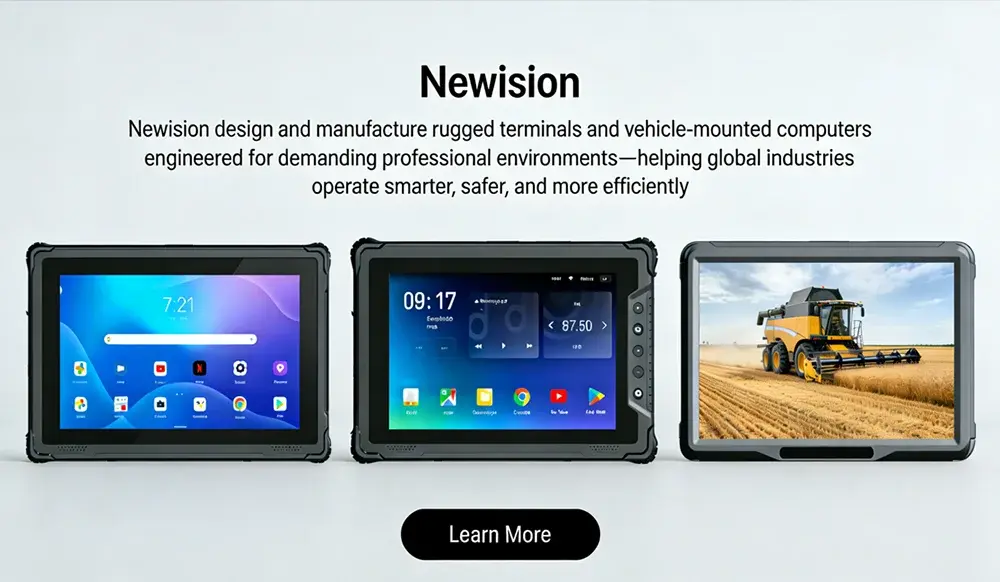
How to Choose 8 Inch Rugged Tablet: The Ultimate 2026 Guide
In the demanding worlds of field service, logistics, construction, and manufacturing, standard consumer tablets are liabilities. A single drop, a splash of water, or a cloud of dust can render a critical device useless, leading to costly downtime and data loss. This is where specialized equipment steps in. The 8-inch rugged tablet occupies the sweet spot in the market—large enough for detailed work and data entry, yet compact and lightweight enough for true portability. But how do you navigate the complex landscape of specs, certifications, and features? This comprehensive guide will walk you through how to choose 8 inch rugged tablet that perfectly matches your professional needs, ensuring you invest in a tool that enhances productivity, not hinders it.
Why the 8-Inch Form Factor is the Professional’s Choice
Before diving into the nitty-gritty of specifications, it’s crucial to understand why the 8-inch screen size has become so popular in professional settings. It’s a deliberate compromise that maximizes both usability and portability.
- Optimal Portability: Unlike larger 10-inch or 12-inch models that can be cumbersome, an 8-inch tablet can easily be slipped into a tool belt, a large pocket, or held with one hand for extended periods without causing fatigue. This is critical for technicians climbing ladders, warehouse staff on the move, or surveyors traversing rough terrain.
- Sufficient Screen Real Estate: The 8-inch display is large enough to comfortably view schematics, fill out digital forms, manage inventory lists, and run specialized applications. It strikes a balance that smaller 7-inch tablets often can’t, where constant zooming and scrolling become a frustration.
- One-Handed Operation: Many rugged 8-inch tablets are designed with ergonomics in mind, featuring hand straps and balanced weight distribution, allowing for secure one-handed operation while the other hand is free to use tools or manage materials.
For professionals who need a device that keeps up with them without being a burden, the 8-inch form factor is often the most logical and efficient choice.
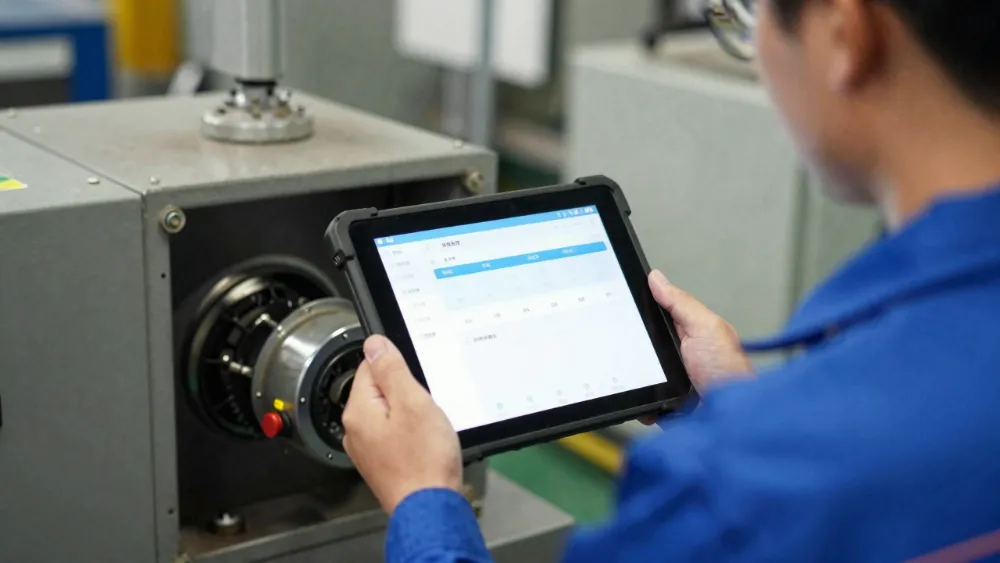
Key Features to Evaluate: A Deep Dive into Rugged Tablet Specs
Choosing the right rugged tablet goes far beyond brand names. It’s about understanding the specifications that translate to real-world reliability and performance. Let’s break down the most critical factors.
1. Durability Certifications: IP Rating and MIL-STD-810G/H
This is the cornerstone of any rugged device. These ratings aren’t just marketing jargon; they are standardized tests that guarantee a level of durability.
- IP Rating (Ingress Protection): This two-digit code tells you how well the device is sealed against dust and water.
- The first digit (0-6) indicates solid particle protection (dust). A ‘6’ means the device is “dust tight.”
- The second digit (0-9) indicates liquid protection (water). A ‘7’ means it can withstand immersion in 1 meter of water for 30 minutes. An ‘8’ indicates deeper immersion (manufacturer-specified).
- For true ruggedness, look for a minimum of IP65. For superior protection against jets of water and temporary immersion, IP67 or IP68 is the gold standard.
- MIL-STD-810G/H: This is a U.S. military standard that tests a device’s endurance against a wide range of environmental stressors. It’s not a single pass/fail test but a suite of over 20 different tests. When a manufacturer says a tablet is MIL-STD-810G/H certified, you need to dig deeper. Look for specific tests passed, such as:
- Transit Drop: Typically from 4-6 feet onto plywood over concrete.
- Vibration: Simulates use in a vehicle or on heavy machinery.
- Temperature Extremes: Operation in freezing cold and blistering heat.
- Humidity: Resistance to high-humidity, corrosive environments.
- Salt Fog: Critical for marine or coastal applications.
Here’s a simple table to help you understand IP ratings at a glance:
| IP Rating | Dust Protection | Water Protection | Best For |
|---|---|---|---|
| IP54 | Limited dust protection | Splashes of water | Light industrial use, warehouses |
| IP65 | Dust tight | Water jets (low pressure) | General field service, construction |
| IP67 | Dust tight | Immersion up to 1m for 30 mins | Outdoor work, utilities, emergency services |
| IP68 | Dust tight | Immersion >1m (spec dependent) | Marine, deep cleaning, harsh environments |
2. Performance, RAM, and Storage: The Engine Under the Hood
A rugged tablet is a work tool, and it needs to perform under pressure. Sluggish performance can be just as detrimental as a cracked screen.
- Processor (CPU): The processor dictates how fast the tablet can run applications and process data. For running a single, lightweight application, a mid-range processor might suffice. For multitasking, running complex GIS software, or high-resolution video capture, a high-performance processor (like an Intel Core i5/i7 or a powerful ARM equivalent) is necessary.
- RAM (Memory): This is the multitasking muscle. 4GB of RAM is the absolute minimum for a smooth experience with modern operating systems. For heavy multitasking or memory-intensive apps, 8GB or even 16GB is recommended.
- Storage: Consider both the amount and the type. 64GB is often too small for professional use, especially with large files like schematics or videos. Look for a minimum of 128GB or 256GB of built-in storage. Crucially, ensure the tablet has an expandable storage slot (microSD) for easy and cheap expansion.
3. Battery Life: Powering Through a Full Shift
Nothing stops work faster than a dead battery. Rugged tablets are designed for long shifts, often in places without immediate access to power.
- Capacity (mAh): Look for a battery with at least 5000mAh. Many top-tier rugged tablets offer batteries in the 8000mAh to 10000mAh range, capable of lasting 10-12 hours or more on a single charge.
- Hot-Swappable Batteries: This is a game-changer for industries that operate 24/7. A hot-swappable battery allows you to replace a depleted battery with a fresh one without shutting down the device, ensuring continuous operation. This feature is non-negotiable for many logistics, public safety, and manufacturing roles.
4. Display Technology: Readability in Any Condition
You need to see your screen clearly, whether you’re under the bright desert sun or in a dark warehouse.
- Brightness (Nits): A consumer tablet screen is typically 300-500 nits. For outdoor use, you need a much brighter screen. Look for a minimum of 800 nits, with 1000+ nits being ideal for direct sunlight readability.
- Anti-Reflective & Anti-Glare Coating: This reduces reflections from ambient light, making the screen easier to read.
- Glove & Rain Mode: These specialized touch technologies allow the screen to be accurately controlled while wearing thick work gloves or when it’s wet with rain. This is a critical feature for outdoor and industrial work.
5. Connectivity Options: Staying Linked to Your Data
A rugged tablet is only as good as its ability to send and receive information.
- Wi-Fi: Look for the latest standard (Wi-Fi 6/6E) for faster speeds and more stable connections in dense environments.
- Cellular (4G LTE/5G): For true mobility, integrated cellular is a must. 5G offers lightning-fast data speeds, which is beneficial for transferring large files from the field.
- GPS: A high-precision, dedicated GPS module is essential for mapping, navigation, and location tracking, far superior to the GPS in consumer phones.
- Ports & Expansion: Don’t overlook the physical ports. Depending on your needs, you may require:
- USB-C (for data transfer and charging)
- USB-A (for legacy peripherals like barcode scanners)
- HDMI (for external displays)
- Ethernet port (for stable wired connections)
- Serial ports (RS-232) for connecting to industrial equipment.

Product Spotlight: A Case Study with the “Armortech X8”
To put these specifications into context, let’s examine a hypothetical, yet representative, high-performance 8-inch rugged tablet: the “Armortech X8”. This example illustrates what a top-tier device looks like.
The Armortech X8 is engineered for the most demanding field work, blending cutting-edge performance with uncompromising durability.
Key Selling Points:
- Unmatched durability with IP68 and MIL-STD-810H certification.
- All-day power with a hot-swappable 10,000mAh battery.
- Superior outdoor visibility with a 1200-nit display.
- Enterprise-grade performance for seamless multitasking.
Here is a detailed breakdown of the Armortech X8’s specifications:
| Specification | Armortech X8 Configuration | Benefit |
|---|---|---|
| Display | 8.0″ LCD, 1920×1200, 1200 nits, Capacitive multi-touch w/ Rain & Glove Mode | Crisp, clear visuals in any lighting or weather condition. |
| Processor | Intel® Core™ i5-1235U (up to 4.4 GHz) | Handles demanding applications and multitasking with ease. |
| Memory | 8GB LPDDR5 RAM | Smooth performance, even with multiple programs running. |
| Storage | 256GB SSD + MicroSD slot (up to 1TB) | Ample space for applications and large files, with easy expansion. |
| Durability | IP68, MIL-STD-810H (Transit Drop 6ft, Vibration, Temp) | Fully protected against dust, water, drops, and extreme temperatures. |
| Battery | 10,000mAh Li-ion, Hot-Swappable | Powers through a full 12-hour shift and beyond; zero downtime. |
| Operating System | Windows 11 Pro / Android 12 | Choose the OS that integrates with your existing enterprise software. |
| Connectivity | Wi-Fi 6E, 5G Sub-6, Bluetooth 5.2, GNSS (GPS, GLONASS) | Fastest wireless speeds and reliable, accurate location tracking. |
| Ports | 1x USB-C (3.2 Gen 2), 2x USB-A (3.0), 1x HDMI 2.0, 1x RJ45, 1x Pogo Pin | Extensive options for connecting any peripheral or docking station. |
| Camera | 16MP Rear Auto-Focus w/ Flash, 5MP Front | High-quality documentation and clear video conferencing. |
| Dimensions | 226mm x 152mm x 18mm | Compact and ergonomic for one-handed use. |
| Weight | 880g (with battery) | Lightweight enough for all-day carry. |
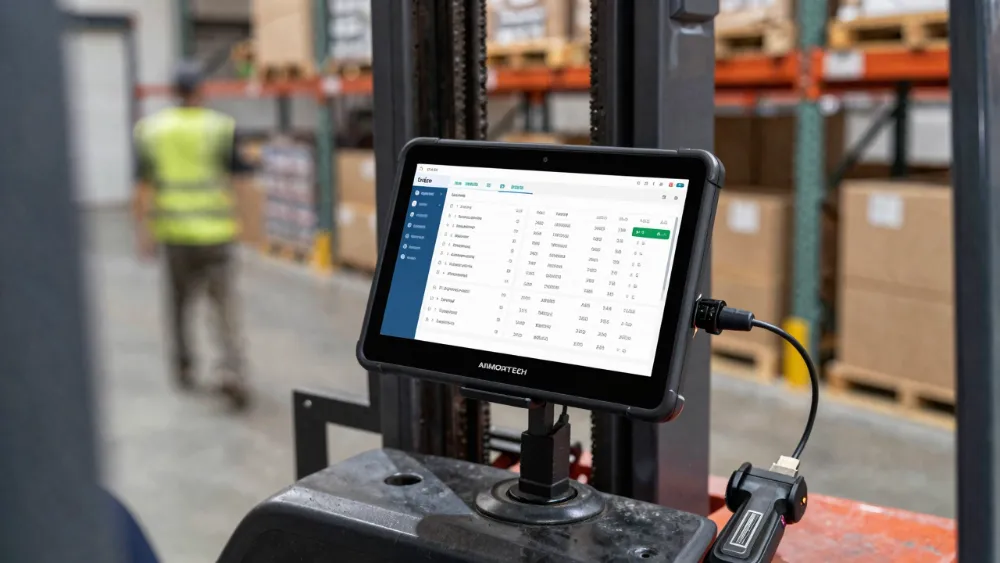
How to Choose 8 Inch Rugged Tablet: Your Top Questions Answered
To solidify your understanding, let’s address some of the most common questions professionals have when making this critical decision.
Q1: How do I balance the cost of a rugged tablet against its features? Isn’t it cheaper to just buy a consumer tablet and a protective case?
A1: While the upfront cost of a consumer tablet plus a case is lower, it’s a false economy that leads to a much higher Total Cost of Ownership (TCO). Rugged tablets are engineered from the ground up for durability; their internal components are shock-mounted, their ports are sealed, and their screens are shatter-resistant. A consumer tablet in a case offers minimal protection against drops, dust, and water immersion. The cost of replacing multiple broken consumer tablets, the data loss, and the operational downtime will quickly surpass the investment in a single, reliable rugged device that is built to last for 5+ years.
Q2: My team works both indoors and outdoors. What single display feature is most important for this kind of mixed-use environment?
A2: For mixed-use environments, high brightness (measured in nits) is the single most critical feature. A screen that is at least 800 nits, and ideally 1000+ nits, will remain visible and glare-free under direct sunlight, which is the most challenging condition. While anti-reflective coatings and rain/glove mode are also highly beneficial, brightness is the fundamental property that ensures usability when moving from a dimly lit warehouse to a bright, sunny outdoor job site. If the screen isn’t bright enough, all other features become irrelevant because you simply can’t see the information you need.
Q3: How do I decide between a Windows and an Android operating system for my 8-inch rugged tablet?
A3: The choice between Windows and Android depends entirely on your existing software ecosystem and workflow. Choose Windows if your team relies on legacy enterprise software, full-featured desktop applications like AutoCAD or specialized field service management tools, and requires deep integration with a Windows-based IT infrastructure (Active Directory, etc.). Choose Android if your workflow is centered around mobile apps, you need a more intuitive and touch-friendly interface for less tech-savvy users, and your software solutions have robust Android versions. Android often boots up faster and can have a simpler user experience, while Windows offers more power and compatibility with traditional desktop software.
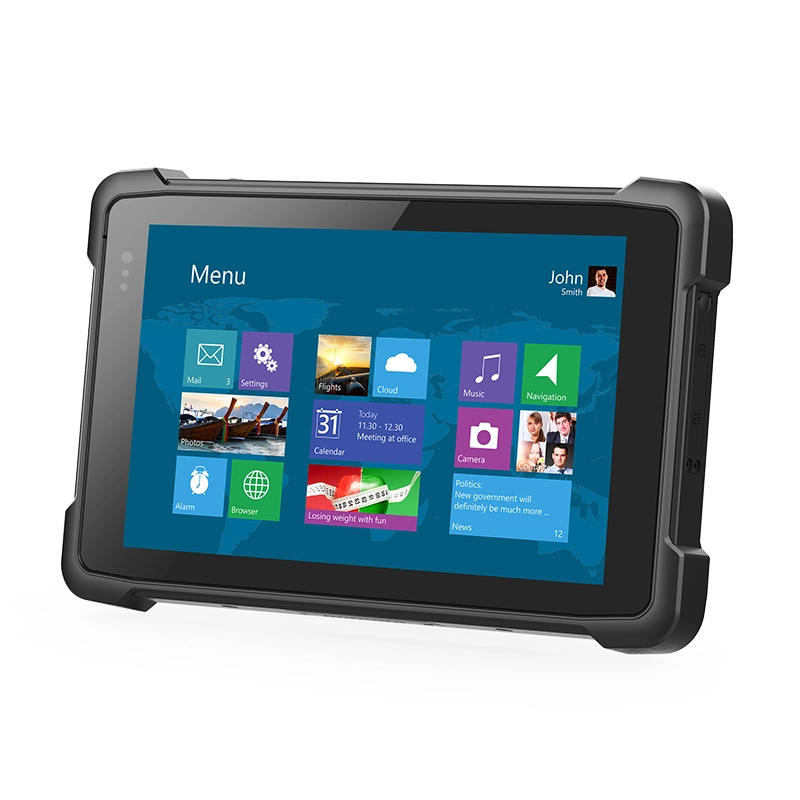
Final Thoughts: Making the Right Investment
Choosing the right 8-inch rugged tablet is a strategic decision that impacts productivity, efficiency, and your bottom line. It’s not about finding the device with the most impressive list of specs, but about finding the one whose specs align perfectly with your specific operational challenges.
Start by defining your environment (indoor/outdoor, temperature extremes), your workflow (data entry, GPS navigation, diagnostics), and your software needs. Then, use this guide to evaluate potential candidates against the key pillars of durability, performance, battery life, display quality, and connectivity. By focusing on these core attributes and understanding the certifications that matter, you can confidently select an 8-inch rugged tablet that will serve as a reliable and powerful tool for your team for years to come. The right choice isn’t an expense; it’s an investment in operational excellence.
相关推荐内容
Latest Content
- 10 Inches Sunlight Readable Tablet: 2026 Procurement & Technical Framework
- How to Troubleshoot Connectivity Issues on a Mobile Data Terminal (2026 Protocol)
- Rugged Android Tablet for Fleet Management: 2026 Complete Guide (Latest Data & Cases)
- Boosting Efficiency and Reliability: How Rugged Tablets Revolutionize Modern Transportation Operations
- Optimizing Fleet Efficiency: The Essential Guide to Mobile Data Terminal Hardware
Hot product
- WMT6UQ: 6-Inch 4G Android 12 Wireless Carplay Navigator Motorcycle PND
- WT10RX: 10.1 inch rugged tablet,10.1″ sunlight-readable display,10.1" ip67 rugged tablet
- WT10MX: 10.1 inch rugged tablet 12,000 mAh,10.1″ IPS display Rugged IP65 design
- WT08Q9Y: 8 inch 10000mAh long battery rugged tablet,1000-nit rugged tablet,
- WT08M8Y: 8 inch Android 14,700-nits rugged tablet