Ruggedized Tablets for Construction: Durable Solutions for Harsh Environments
In the construction industry, field teams confront dust, moisture, vibration, temperature swings, and irregular power supply every day. Ruggedized tablets are not a luxury—they are a core workflow enabler. They combine tough hardware with purpose-built software to keep crews connected, accurate, and safe, from the ground to the crane cabin. This guide provides a practical, search-intent-focused overview of rugged tablets for construction, with concrete criteria to help decision-makers select devices that survive harsh environments, support field operations, and deliver measurable cost-of-ownership benefits.
Why rugged tablets matter on construction sites
Construction sites are harsh by design. Portable devices must endure dust and water exposure, drops onto concrete, and long shifts in extreme temperatures. A rugged tablet is more than a durable shell: it’s a reliable data capture tool, a dashboard for real-time communication, and a gateway to site-specific software such as BIM viewers, field data collection apps, safety checklists, and equipment management platforms. By unifying data capture, task management, and offline access, ruggedized tablets reduce noise, accelerate issue resolution, and improve project visibility across geographies—from North America to Europe and APAC regions.
Rugged tablets for construction typically emphasize:
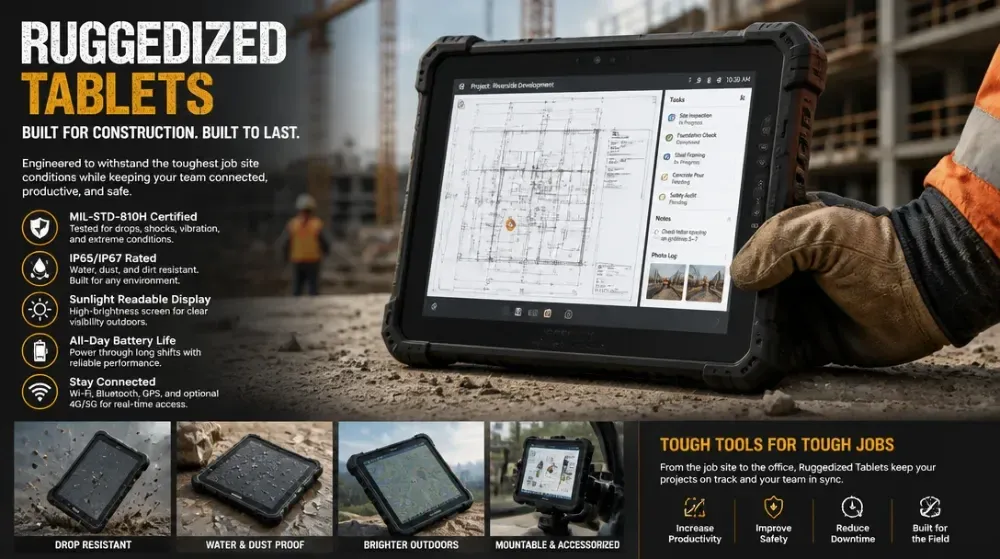
- Strong protection: IP68 sealing, MIL-STD-810G/810H or equivalent shock resistance.
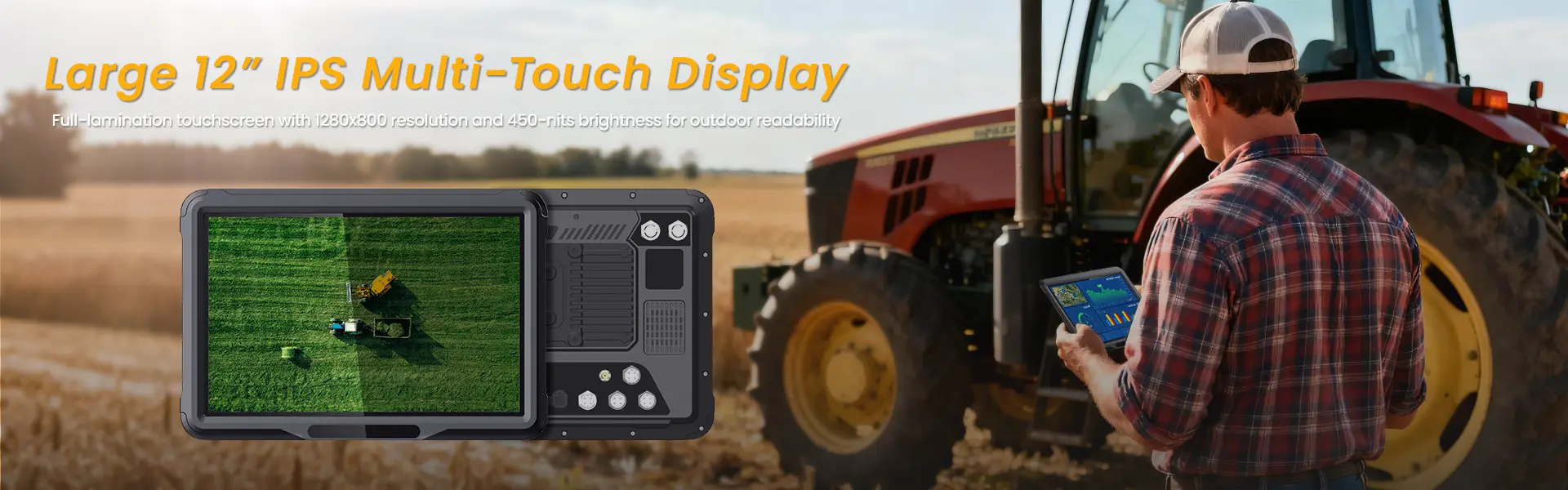
- Readability and operability: sunlight-readable displays, glove-compatible touch, and digitizer options.
- All-day or multi-shift power: high-capacity batteries with hot-swap options and efficient power management.
- Connectivity: reliable 4G/5G, dual-SIM where applicable, Wi-Fi, GNSS, and rugged docks/mounts for vehicle or site use.
- Software readiness: rugged platform support for Windows, Android, and enterprise mobility management (EMM) tools, with strong data security features.
In practice, the best rugged tablet for construction combines hardware resilience with software that matches the day-to-day workflows of field engineers, surveyors, safety officers, and foremen. It’s not only about surviving the environment; it’s about ensuring data integrity, uptime, and user productivity.
Key durability standards and certifications
Choosing the right device means looking at the certifications that demonstrate real-world resilience. For construction environments, targets typically include:
- IP ratings (Ingress Protection): IP68 is common, indicating protection against dust ingress and immersion in water beyond 1 meter.
- MIL-STD-810G/H: A common standard for shock, vibration, and environmental conditions including temperature and humidity.
- MIL-STD-461/462 or equivalent EMI/EMC compliance: Important where heavy machinery and site electrical infrastructure prevail.
- Operating temperature range suitable for field operations (often -20°C to 60°C depending on model).
- Certification marks for local compliance: CE (Europe), FCC/IC (North America), RoHS/REACH (global), TUV/UL where applicable, and other regional marks like RCM (Australia/New Zealand).
in Europe, CE marking and RoHS compliance are essential, while North American buyers tend to emphasize IP rating, MIL-STD-810G, and FCC/IC signaling. In Asia-Pacific markets, RoHS and CE/UL equivalents play a big role, and telecom compatibility (5G bands) can be a differentiator for field teams that move between sites or regions.
Display, input, and operation in harsh conditions
A primary friction point on construction sites is visibility and usability in tough lighting and with work gloves. Key features to consider:
- Sunlight-readable displays: high brightness (often 800–1200 nits or more), anti-glare coatings, and outdoor mode enabling high contrast in bright daylight.
- Display type and touch input: capacitive touch with glove compatibility, optional digitizer pens for precise measurements and annotations, and screen protectors that resist scratches without compromising touch accuracy.
- Rugged chassis and seals: sealed ports and rugged bezels to prevent dust ingress during cable changes or dock connections.
- Physical controls: dedicated hardware buttons for critical actions, like push-to-talk (PTT), emergency stop, or quick camera capture.
- Thermal management: passive or active cooling to prevent throttling in high-temperature environments and to sustain performance over long shifts.
Battery life and power management on site
Power is a constant constraint on construction sites where charging points are scarce and crews work across multiple shifts. Look for:
- All-day battery life under typical field workloads (8–12+ hours is common, with some models offering 16–24 hours in optimized modes).
- Hot-swappable batteries or swappable packs for extended endurance without downtime.
- Efficient processors and display underrun management to maximize runtime under edge-case tasks like LiDAR scanning, 3D modeling, or BIM annotation.
- Vehicle docks and rugged charging stations that resist dust and moisture ingress.
- Power management features: scheduled battery optimization, app whitelisting to minimize background activity, and enterprise management to push power profiles to devices.
Connectivity and data management on construction sites
Connectivity is a competitive edge for timeliness and accuracy. Essential capabilities include:
- 4G/5G modem with global bands or regional variants, and dual-SIM support if crews travel between sites.
- Wi-Fi 6 or 802.11ac for faster site networks and offline sync when connectivity is patchy.
- GNSS (GPS/GLONASS/BeiDou) accuracy for survey work and asset tagging.
- Offline data capture with automated sync when back online, ensuring that work orders, safety checks, and field notes aren’t lost.
- Secure cloud integration with enterprise systems (ERP, project management, BIM coordination dashboards) via VPN, TLS, and modern authentication.
- Optional rugged docks or vehicle mounts to keep tablets charged and accessible on trucks, scissor lifts, or crane cabins.
Software, security, and EEAT considerations for field crews
A rugged tablet’s value is realized when software aligns with work habits and governance. Important angles:
- Platform choice: Android vs Windows competing in field workflows. Android often excels in app ecosystems, enterprise mobility management (EMM) integration, and broad field software compatibility; Windows offers native CAD/BIM/desktop-like software compatibility, familiar tools, and robust enterprise compliance features.
- Enterprise security: device encryption (FIPS-validated), secure boot, managed app whitelisting, remote wipe, and role-based access to sensitive field data.
- Data integrity and audit trails: automatic logging of field actions, time-stamped notes, and geo-tagged field photos to support QA and safety audits.
- Software flexibility: integration with BIM viewers, construction management apps, safety inspection templates, and equipment maintenance logs; support for offline-first workflows for remote sites.
- consider manufacturers with documented field trials, case studies from major construction projects, and service networks that ensure timely replacement parts and warranty coverage. GEO references—highlight case studies or references from regions where the equipment is commonly used (e.g., North America, Western Europe, APAC) to boost local relevance.
Real-world use cases by geography
- North America: On large commercial builds and infrastructure projects, teams often require rugged tablets with strong enterprise software ecosystems, integrated data capture, and telematics for equipment. Certifications emphasize IP68, MIL-STD-810G, and FCC/IC compliance. Local service networks are a decisive factor.
- Europe: Projects must align with CE, RoHS, and REACH, with emphasis on long product lifecycles and certified accessories. Tablet models that offer robust keyboard docks and compliant accessories for professional trades see strong uptake.
- APAC: Rapid deployment across urban and rural sites; emphasis on cost-per-seat, logistic ease, and multi-language firmware. GNSS accuracy and bandwidth for remote areas are critical, as well as compatibility with local networks and 5G bands.
Choosing the right rugged tablet for your construction team
To select the best device, map your workflows to device features:
- Worker type: foreman, surveyor, safety officer, electrician, or crane operator. Each role has different app needs, input methods, and durability priorities.
- Environment: dusty outdoors, wet interiors, or confined spaces; ensure IP rating, sealing against moisture, and rugged docking options match site conditions.
- Required software: BIM viewers, safety inspection apps, QR/barcode scanning, or heavy CAD tools. Confirm compatibility and performance under field use.
- Connectivity needs: constant offline work vs. frequent online sync; plan for local storage capacity, cloud sync strategies, and offline map packs for GNSS-enabled tasks.
- Lifecycle and maintenance: consider spare parts availability, repair turnaround times, and service coverage in the regions where sites operate.
Common decision drivers: total cost of ownership (TCO), uptime guarantees, and the ability to deploy standardized security policies across a distributed workforce. Including a few long-tail phrases helps capture specific search intents during procurement: “best rugged Windows tablet with BIM integration for construction project management,” “industrial Android tablet for construction site with glove-friendly input,” “IP68 field tablet for concrete environments.”
Total cost of ownership and lifecycle considerations
A thorough TCO analysis goes beyond the device price. Consider:
- Initial procurement cost versus lifecycle costs, including batteries, docks, and accessories.
- Maintenance and repair costs, including authorized service channels and turnaround times.
- Software licensing, EMM subscriptions, and potential fleet management integration.
- Data plan costs for field devices, especially for sites with limited Wi-Fi coverage.
- Depreciation schedules and potential tax incentives for enterprise-grade equipment in different GEO regions.
- Equipment lifecycle: typical replacements every 3–5 years to stay current with software and security requirements, and plans for end-of-life recycling or resale.
Industry practice often shows that a higher upfront rugged device cost can be offset by longer device lifespan, fewer field data losses, and reduced downtime. Integrations with site systems and standardized templates can accelerate adoption and reduce training costs, further lowering long-term TCO.
Maintenance, repairs, and end-of-life
- Service options: on-site support, depot repairs, or extended warranty plans with rapid turnaround.
- Spare parts availability: a robust supply chain for screens, seals, batteries, and connectors minimizes downtime.
- Battery lifecycle: plan for battery replacement cycles to avoid performance degradation mid-project.
- End-of-life: environmentally responsible recycling or trade-in programs help reduce total environmental impact and support sustainability goals.
Practical guidance for implementation
- Start with a pilot: select 1–2 teams across different roles and sites to test a small batch of rugged tablets under real conditions. Gather feedback on battery life, gloves usability, app compatibility, and charging logistics.
- Integrate with existing workflows: ensure BIM viewers, field data capture apps, and safety templates are ready on the device, with offline capabilities where needed.
- Standardize accessories: docks, vehicle mounts, styluses, and screen protectors with consistent part numbers simplify maintenance.
- Train for security and compliance: establish device enrollment, app whitelisting, and data-handling policies aligned with organizational security standards and regional GE expectations.
- Monitor performance: track device uptime, app crash rates, battery replacement frequency, and repair times to continuously optimize procurement and support.
Frequently Asked Questions (FAQs)
What is the best rugged tablet for construction sites with heavy dust and water exposure?
The best choice combines IP68 sealing, MIL-STD-810G/H resilience, a bright outdoor display, glove-friendly touch, and a long-life battery, plus reliable enterprise software support and local service options. Android and Windows variants exist; pick the one that aligns with your BIM/CAD workflow and ERP integrations.
Are rugged tablets compliant with MIL-STD-810G/H and IP68 for construction environments?
Many rugged tablets used in construction meet MIL-STD-810G/H for shock and vibration and IP68 for dust/water ingress. Verify the exact standard version, test methods, and field certifications with the supplier, and confirm regional compliance marks (CE, FCC/IC, RoHS).
How long does a typical rugged tablet last in active construction use?
A typical lifecycle ranges from 3 to 5 years, depending on usage intensity, battery health, software demands, and part availability. Strong service agreements and battery replacement programs can extend effective life beyond the nominal period.
Can rugged tablets function reliably in extreme temperatures on hot or freezing sites?
Yes, but performance depends on the device’s thermal design and battery chemistry. Look for operating temperature ranges appropriate to your sites, along with passive/active cooling and field-tested battery performance in those conditions.
Do rugged tablets support offline data capture and synchronization for remote sites?
Yes. Most rugged tablets offer offline data capture with later synchronization when a connection is available. This is essential for remote sites with limited or intermittent network coverage and is a core requirement for project management and QA workflows.
相关推荐内容
Latest Content
- Rugged Tablets for Outdoor Use: Durable, Reliable Devices for Harsh Environments
- Rugged Tablets for Public Safety: Choosing the Right Device
- Mining Tablet Guide: Rugged, Reliable Tablets for Harsh Mining Environments
- 1000 Nits Brightness Rugged Tablet: The Essential Field Companion for Outdoor Conditions
- Rugged Tablets for Fleet Management: Enhance Efficiency and Durability
Hot product
- WMT6UQ: 6-Inch 4G Android 12 Wireless Carplay Navigator Motorcycle PND
- WT10RX: 10.1 inch rugged tablet,10.1″ sunlight-readable display,10.1" ip67 rugged tablet
- WT10MX: 10.1 inch rugged tablet 12,000 mAh,10.1″ IPS display Rugged IP65 design
- WT08Q9Y: 8 inch 10000mAh long battery rugged tablet,1000-nit rugged tablet,
- WT08M8Y: 8 inch Android 14,700-nits rugged tablet