How to Choose Rugged Tablets for School Buses?
School bus operations face unique challenges that consumer tablets simply cannot handle. Every day, fleet managers juggle real-time student tracking, driver safety compliance, route optimization, and emergency response coordination—all while vehicles navigate potholes, temperature extremes, and constant vibration.
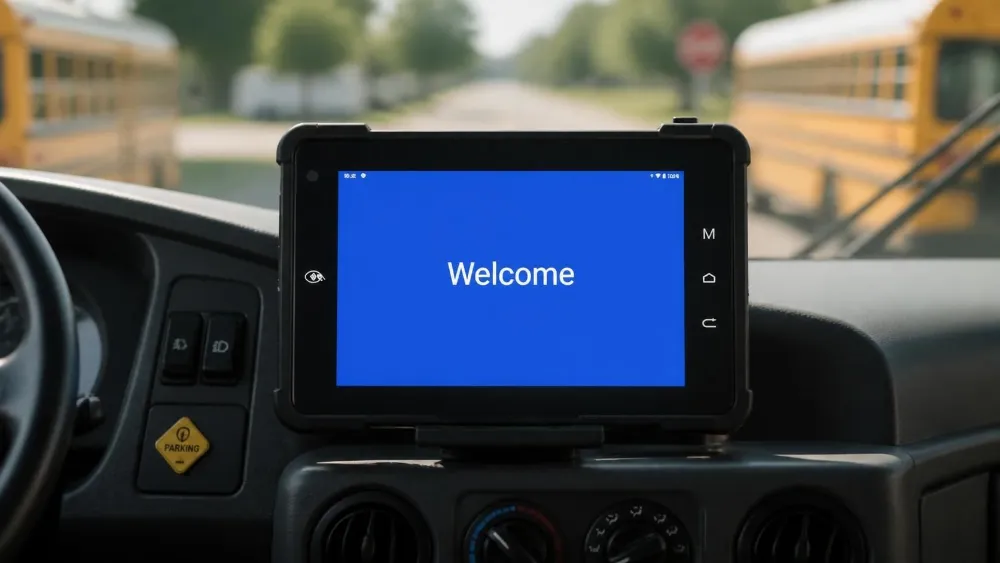
A standard iPad or consumer Android device fails within months under school bus conditions.
Rugged tablets, engineered for vehicle-mounted deployment, deliver the durability, connectivity, and compliance features that school districts desperately need.
Decision Guide
This guide walks you through every critical factor—from durability certifications to total cost of ownership—so you can make procurement decisions that protect students, improve efficiency, and maximize your technology investment over a 5–7 year lifecycle.
The School Bus Environment
Why consumer devices don't survive
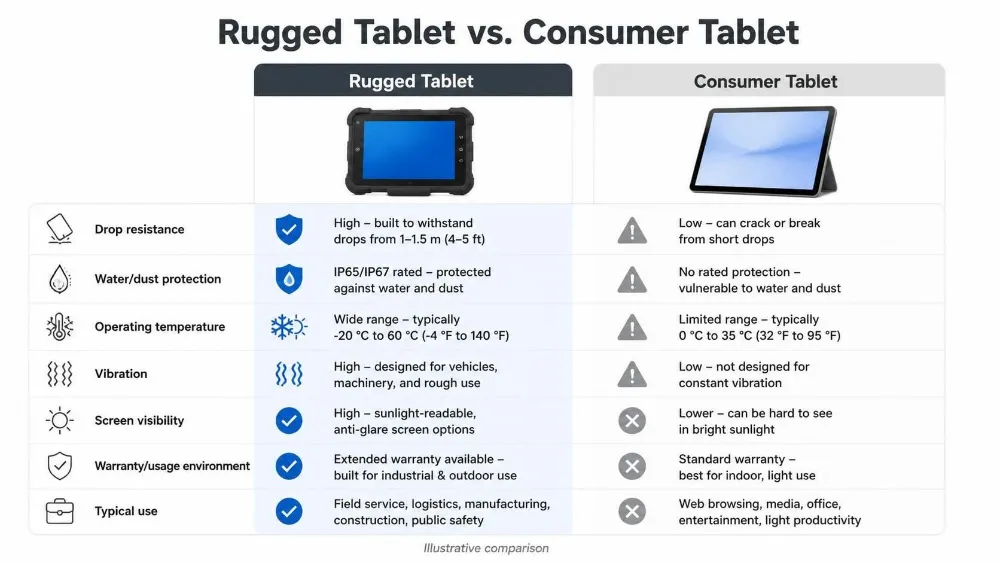
School buses operate in some of the harshest mobile environments. Vehicles experience constant vibration from road conditions, temperature swings from -20°C in winter to 60°C in summer—particularly when parked in sunlight—dust infiltration from open windows, and liquid spills from student activity.
Consumer tablets are designed for stationary office use or occasional mobile browsing. They feature thin aluminum casings, sealed battery compartments, and components optimized for weight rather than impact resistance.
📊 Typical Failure Timeline
- 3–6 months: Screen cracks
- 6–12 months: Connector failure
- 12–18 months: Button degradation
- 18–24 months: Battery swelling
Reality Check Within 12–18 months, consumer devices deployed on school buses typically fail. Replacing 200 failed tablets across a district can exceed the initial investment in rugged alternatives. Rugged tablets, by contrast, feature reinforced bezels, sealed I/O ports, wide-temperature components, and shock-absorbing mounting systems designed to survive years of road punishment.
The Operational Pain Points
📋 Paper inspections
No digital audit trail, no accountability for maintenance issues.
👤 Manual attendance
Roll calls and swipe cards that malfunction in cold weather.
📻 Unclear emergency comms
Radio communications that are often delayed or ambiguous.
⏳ Parent communication gaps
Parents may not know their child missed the bus for hours.
Rugged tablets eliminate these inefficiencies. Digital inspection checklists automatically flag maintenance needs, triggering service requests before breakdowns occur. RFID or NFC-enabled check-in systems provide real-time visibility into which students are aboard each bus. GPS tracking allows parents to monitor arrival times via mobile apps, and emergency alert systems can broadcast critical information to all vehicles simultaneously.
"Any device deployed on a school bus must support encrypted data storage, secure authentication, and audit logging to remain compliant with FERPA and DOT regulations."
Durability: The Non-Negotiable Foundation
IP ratings, MIL-STD, and what they actually mean
The most critical durability metric is the IP (Ingress Protection) rating. IP65 means the device is dust-tight and protected against water jets from any direction—suitable for outdoor use and wet environments like school bus interiors. IP67 adds submersion protection (up to 1 meter for 30 minutes).
For school buses, IP65 is the minimum acceptable standard; IP67 is preferable if budget allows.
Quick Reference
IP65 → Dust-tight + water jets
IP67 → +30 min submersion
IP68 → Extended submersion
📌 MIL-STD-810H Certification
Vibration
4–24 hours continuous, multi-frequency
Drop
1.2–1.5m onto concrete
Temperature
-20°C to 70°C cycling
Corrosion
Salt fog + humidity testing
Vehicle Docking Systems
A quality docking system includes wide voltage input (9–36V) to accommodate battery fluctuations, ignition sensing for automatic power management, and mechanical locking to prevent ejection during emergency maneuvers.
Warning Avoid docking systems with single-point power connections or suction-cup mounts—these are common failure points where vibration and temperature cycling degrade adhesives and connectors.
Display & Driver Experience
What drivers actually need to see
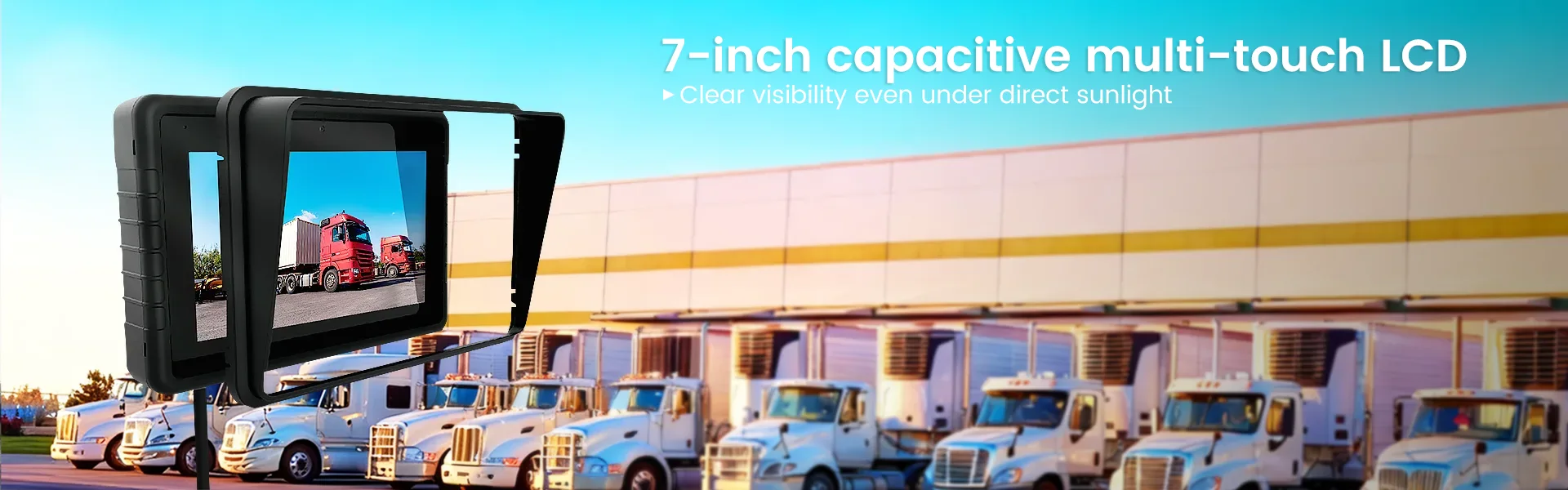
School bus drivers spend 6–8 hours per day viewing their tablet screen, often in bright daylight. Standard consumer tablets with 400–500 nits brightness are nearly illegible in direct sunlight.
Rugged tablets for school buses must deliver 800–1000+ nits brightness, with anti-glare coatings that reduce reflections without washing out colors. IPS panels offer superior viewing angles compared to TN panels.
Brightness Comparison
800+ nits
vs. 400–500 nits (consumer)
📐 Screen Size
7–10.1 inches is ideal. A 7-inch tablet fits neatly in a dashboard-mounted dock without obstructing the driver's view. Larger screens risk becoming a distraction.
🎯 Mounting Position
Position below the driver's primary sightline, within arm's reach. Many districts prefer right-side dashboard mounting, away from the steering column and pedals.
Engineering Note Rugged tablets must include physical volume and power buttons—not just touch-based controls. Drivers wearing gloves or with wet hands benefit from tactile buttons. Voice commands and text-to-speech are essential for keeping eyes on the road.
Performance & Power Architecture
Processing, battery, and thermal management
⚡ Processor & RAM
Quad-core @ 2.0 GHz with 3–4 GB RAM provides smooth multitasking. Avoid less than 2 GB RAM—lag creates driver frustration and safety risks.
💾 Storage
32–64 GB is sufficient. Most data (maps, student lists, telematics logs) syncs to cloud servers. Local storage holds the OS, core apps, and temporary cache.
Critical School buses parked in summer sun can reach 65–70°C interior temperatures. Devices without proper thermal management will throttle or shut down. Look for passive thermal design, ventilation, and -20°C to 70°C operating range.
Connectivity & Safety Features
GPS, cellular, RFID, and telematics
🛰️ Multi-GNSS
GPS + GLONASS + Galileo + BeiDou for faster acquisition and accurate positioning in urban canyons and tunnels.
📶 4G/5G LTE
4G LTE is the current standard with broad coverage. 5G is a future-proofing bonus where available.
Connectivity enables real-time parent notifications, driver-to-dispatch communication, and cloud syncing of telematics data. A device without cellular connectivity is severely limited—it can only function when tethered to a mobile hotspot.
🔐 RFID/NFC Integration
Students tap their ID card when boarding and exiting. The system automatically records their presence, generates a digital manifest, and alerts parents if a student is not aboard an expected bus.
🔬 Telematics & CAN Bus
Rugged tablets integrate with telematics systems that monitor harsh acceleration, braking, speed compliance, and route adherence. Some newer school buses support CAN Bus connectivity, allowing tablets to read real-time engine diagnostics, fuel consumption, and tire pressure—enabling predictive maintenance.
Total Cost of Ownership
Why rugged pays for itself
📊 7-Year Cost Comparison
Consumer Tablet
$2,000–$3,500
3–4 replacements + support
Rugged Tablet
$1,200–$1,800
Single purchase + minimal maintenance
Rugged tablets typically cost $800–$2,500 per unit—3–5 times the cost of a consumer tablet. However, over a 5–7 year lifecycle, rugged devices deliver 30–50% savings through reduced replacement costs, fewer operational disruptions, and improved safety metrics.
🛡️ Hardware Warranty
3-year+ coverage, including accidental damage
🔄 Software Support
Security patches and OS updates for 5+ years
🔧 On-site Support
Depot or mobile repair services
🎨 Customization
Pre-loaded apps, MDM config, district branding
Deployment Strategy
From pilot to full fleet rollout
📋 Pilot Program Checklist
- Prepare infrastructure: Docking stations, vehicle power, MDM (2–4 weeks)
- Pre-load devices: Apps, enrollment, driver profiles (1–2 weeks)
- Driver training: Navigation, student tracking, emergency procedures (1–2 weeks)
- Pilot deployment: 10–20 buses, monitor performance, collect feedback (4–6 weeks)
- Full-scale rollout: Fleet-wide deployment in waves (3–6 months)
🎓 Driver Training
Hands-on sessions covering tablet operation, navigation, RFID check-in, emergency procedures, and troubleshooting. Provide written guides and video tutorials. Annual refresher training is recommended.
📈 Key Performance Indicators
- On-time arrival: 95%+ within 5 minutes
- Attendance accuracy: 99%+
- Safety incidents: 20%+ reduction
- Breakdowns: 30%+ reduction
Top Recommendations
Two industry-leading options
Waysion Q777
7-inch · IP65 · Android 14
- 4G LTE + GPS/GLONASS/BeiDou
- CAN bus integration
- 800+ nits sunlight-readable
- MIL-STD-810H certified
- Telematics-ready, MDM support
Waysion V7S
7-inch · IP65 · Android 14
- 4G/5G + dual GNSS
- CAN bus integration
- 800+ nits sunlight-readable
- MIL-STD-810H certified
- Automated fare collection (AFC) support
Both models include secure docking stations with 9–36V vehicle power and ignition sensing, full MDM integration, and extended 3+ year warranty coverage with optional on-site support.
Looking Ahead
Emerging technologies for 2026 and beyond
🤖 AI Predictive Maintenance
ML analyzes engine telemetry to predict component failures
📡 5G Connectivity
Real-time video streaming from onboard cameras
⚡ Edge Computing
Processes telematics locally, reducing cloud dependency
Conclusion
Selecting the right rugged tablet for your school bus fleet is a strategic investment in student safety, operational efficiency, and long-term cost management.
The initial cost premium—$800–$2,500 per unit—is recovered within 3–4 years through reduced replacement costs, fewer disruptions, and improved safety metrics. Combined with comprehensive driver training and a structured rollout plan, rugged tablets transform school bus operations from paper-based, reactive processes to data-driven, proactive systems that keep students safe and on schedule.
Start with a pilot program on 10–20 buses, validate integration with your existing systems, and measure performance improvements before full-scale deployment. This approach minimizes risk, builds staff confidence, and ensures your district maximizes the return on this critical technology investment.
School Bus Fleet Technology Guide · 2026
Waysion · Rugged Tablets for Commercial Fleets
相关推荐内容
Latest Content
- Rugged Tablet for Digital Mining: The Essential Guide to Durability in the Field
- Sunlight Readable Tablet: The Ultimate Guide to Choosing the Right Display for Outdoor Work
- Mobile Device Management (MDM) Solutions: The Complete Guide for 2026
- Rugged Tablet for Mining: Specs, Comparison & Buyers Guide
- Rugged Tablet for Fleet Management: The 2026 Guide to Choosing the Right Device
Hot product
- WMT6UQ: 6-Inch 4G Android 12 Wireless Carplay Navigator Motorcycle PND
- WT10RX: 10.1 inch rugged tablet,10.1″ sunlight-readable display,10.1" ip67 rugged tablet
- WT10MX: 10.1 inch rugged tablet 12,000 mAh,10.1″ IPS display Rugged IP65 design
- WT08Q9Y: 8 inch 10000mAh long battery rugged tablet,1000-nit rugged tablet,
- WT08M8Y: 8 inch Android 14,700-nits rugged tablet