What Are the Best 8-Inch Rugged Tablets for Construction, Field Work, and Outdoor Use in 2026?
The Samsung Galaxy Tab Active5 (8-inch) leads the 2026 compact rugged tablet market with IP68 and MIL-STD-810H certification, a 120Hz display, and a swappable battery. For Windows workflows, the Sunboo VPC80J offers vehicle-ready ruggedness with 700-nit brightness. Budget buyers should look at the Blackview Active 5 at under $250 with an IP69K rating. Your best choice depends on your OS preference, brightness needs, and whether you need vehicle mounting or barcode scanning.
Why Is Screen Brightness the Most Overlooked Feature on Job Sites?
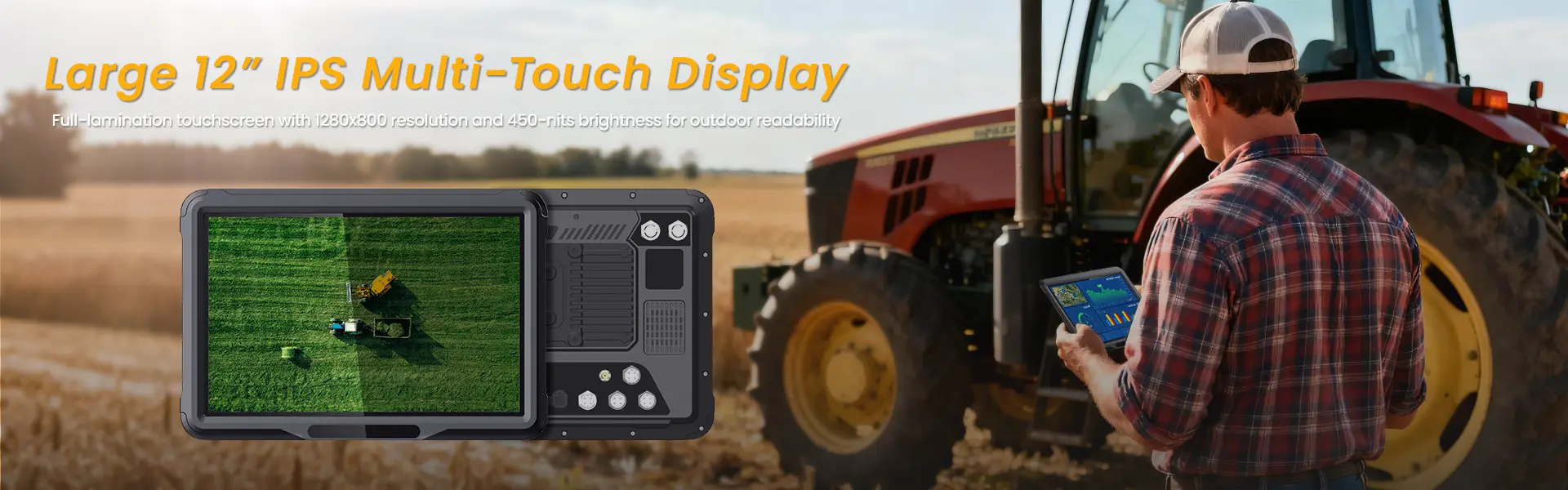
The top complaint from construction workers and field technicians is not drop resistance—it is screen visibility. A tablet that survives a fall is useless if you cannot read blueprints in direct sunlight.
Consumer tablets peak at 300 to 500 nits, which becomes unreadable outdoors. True rugged tablets for construction and field work start at 500 nits and scale up to 1,000 nits for sunlight-readable performance. The Samsung Galaxy Tab Active5 features an 8-inch 1920×1200 TFT LCD at 500+ nits with Gorilla Glass 5, making it usable even under midday sun. The Sunboo VPC80J pushes this further to 700 nits on its 8-inch IPS panel, targeting vehicle-mounted and outdoor scenarios where glare is unavoidable.
Brightness is not just about comfort—it directly impacts safety. Workers squinting at dim screens near heavy machinery or while navigating hazardous terrain create accident risks. When evaluating the best 8-inch rugged tablets for outdoor use, treat 500 nits as the minimum threshold, with 700+ nits ideal for all-day field deployment.
How Do IP Ratings and MIL-STD Certifications Protect Your Investment?
Durability certifications separate genuine rugged tablets from consumer devices in protective cases. Understanding these ratings prevents costly replacements.
IP Ratings Explained:
- IP65: Dust-tight, protected against water jets
- IP67: Dust-tight, submersible up to 1 meter for 30 minutes
- IP68: Dust-tight, submersible beyond 1 meter (manufacturer-specified depth)
- IP69K: Resists high-pressure, high-temperature washdowns (ideal for construction cleanup)
MIL-STD-810H is the military standard testing for drops, vibration, extreme temperatures (-40°F to 176°F), and humidity. A tablet certified to MIL-STD-810H has survived 26 drops from 4 to 5 feet onto plywood and concrete surfaces.
The Blackview Active 5 stands out with both IP68/IP69K and MIL-STD-810H at just $247, making it the most certified budget option. The Samsung Galaxy Tab Active5 matches MIL-STD-810H and IP68, surviving drops from 5 feet and submersion in 5 feet of water for 30 minutes.
For extreme environments, these certifications are not marketing—they are insurance against device failure.
Which Operating System Wins for Construction and Field Work: Android or Windows?
Your software ecosystem determines the OS choice, and the wrong decision creates integration headaches.
Android dominates mobile field workflows. It boots faster, offers better battery optimization, and integrates seamlessly with mobile apps like Procore, PlanGrid, and Bluebeam. The Samsung Galaxy Tab Active5 runs Android 14 with enterprise Knox security, while the Waysion DT8 (8-inch) targets vehicle-based logistics with Android 14, CAN Bus integration, and 5G connectivity.
Windows remains essential for heavy engineering software. AutoCAD, Revit, BIM 360, and SolidWorks require full desktop applications. The Sunboo VPC80J runs Windows 10/11 on an Intel Celeron N5100 with up to 16GB RAM and 512GB SSD—enough for CAD viewing and light editing. The Dell Latitude 7230 Rugged Extreme (11.6-inch, but relevant for comparison) runs 12th Gen Intel i7 for demanding 3D modeling.
For most construction foremen, inspectors, and logistics coordinators, Android provides the right balance of app availability, battery life, and cost. Engineers and architects requiring full CAD capabilities should invest in Windows rugged tablets despite the weight and price premium.
How Critical Is Battery Design for All-Day Field Operations?
Battery anxiety destroys productivity. A tablet dying at 2 PM on a remote job site is not an inconvenience—it is a work stoppage.
The best 8-inch rugged tablets solve this through three approaches:
- Large-capacity batteries: The KXD-EV8 packs a 10,000mAh battery delivering 12 hours of continuous use. The Blackview Active 5 includes a 6,600mAh battery with 18W fast charging.
- Hot-swappable batteries: The Samsung Galaxy Tab Active5 and Panasonic Toughbook G2 allow battery replacement without shutting down, effectively providing unlimited runtime with spare packs.
- No-battery mode: Samsung’s Active5 Pro can run directly from external power without draining the internal battery, ideal for vehicle-mounted installations.
For construction shifts exceeding 10 hours, hot-swappable batteries are not optional—they are essential. The cost of two spare battery packs ($100 to $200) is negligible compared to the downtime of a dead device.
What Connectivity Features Separate Professional Rugged Tablets from Consumer Devices?
Field work happens beyond Wi-Fi range. Professional rugged tablets must maintain connectivity in remote locations.
Essential connectivity features include:
5G/LTE: The Samsung Galaxy Tab Active5 includes built-in 5G for real-time cloud sync, while the Waysion DT8 offers optional 5G for fleet logistics. Budget options like the Blackview Active 5 provide 4G LTE dual-SIM support.
GNSS/GPS: Multi-constellation positioning (GPS + GLONASS + BeiDou) ensures accurate location tracking even in urban canyons or dense forests. The Waysion DT8 and Sunboo VPC80J both include multi-GNSS support.
Industrial I/O: Vehicle-mounted tablets need CAN Bus, OBD-II, RS232/485, and ignition sense for fleet integration. The Waysion DT8 excels here with native CAN Bus and vehicle diagnostics.
NFC/Barcode scanning: For inventory management and access control, integrated NFC (like the Samsung Knox-enabled NFC) eliminates external peripherals.
Without reliable connectivity, a rugged tablet becomes an expensive offline notepad. Verify your job site’s cellular coverage and choose accordingly.
Top 8-Inch Rugged Tablets Comparison Table
| Feature | Samsung Galaxy Tab Active5 | Sunboo VPC80J | Blackview Active 5 | Waysion DT8 | KXD-EV8 |
|---|---|---|---|---|---|
| Display | 8″ 1920×1200, 120Hz, 500+ nits | 8″ IPS, 700 nits | 8.68″ 1340×800, 90Hz | 8″ 1000 nits | 8″ 1200×1920, 500 nits |
| OS | Android 14 | Windows 10/11 | Android 15 | Android 14 | Android 12+ |
| CPU | Exynos 1380 | Intel Celeron N5100 | UNISOC T615 | Octa-core Qualcomm | MT6877 Octa-Core 2.4GHz |
| RAM/Storage | 6GB/128GB | Up to 16GB/512GB | 8GB/128GB | Configurable | 4-8GB / 64-256GB |
| Protection | IP68, MIL-STD-810H | IP65 | IP68/IP69K, MIL-STD-810H | IP67, MIL-STD-810H | IP68 |
| Battery | 5,050mAh, swappable | Standard (vehicle-ready) | 6,600mAh, 18W fast charge | Hot-swappable | 10,000mAh, 12hrs |
| Brightness | 500+ nits | 700 nits | Standard | 1000 nits | 500 nits |
| Special Features | S Pen, glove touch, 5G | Wide voltage 9-36V, vehicle mount | Ultra-budget, dual SIM | CAN Bus, OBD-II, 5G option | RJ45, fingerprint, NFC |
| Price Range | ~$600-700 | ~$800-1,200 | ~$247 | ~$850-1,400 | ~$400-600 |
| Best For | General field work, inspections | Vehicle mounting, Windows CAD | Budget construction, outdoor | Fleet logistics, mining | Industrial data collection |
This comparison reveals clear segmentation: Samsung dominates the all-rounder category, Sunboo serves Windows vehicle deployments, Blackview wins on price, Waysion targets industrial fleet integration, and KXD-EV8 offers maximum battery endurance.
How Should You Choose Based on Your Specific Role?
Construction Site Managers: Prioritize sunlight readability (700+ nits), Windows compatibility for BIM software, and hot-swappable batteries. The Sunboo VPC80J or a larger 10-inch Windows tablet like the Dell Latitude 7230 fits best.
Field Service Technicians: Need one-handed operation, glove-touch support, and all-day battery. The Samsung Galaxy Tab Active5 is purpose-built for this with its compact 8-inch form, S Pen support, and IP68 durability.
Fleet and Logistics Operators: Require vehicle mounting, CAN Bus integration, and ignition sensing. The Waysion DT8 (8-inch) is engineered specifically for in-vehicle logistics with native fleet management features.
Surveyors and GIS Professionals: Need high-precision GNSS and RTK support. While most 8-inch tablets offer standard GPS, consider stepping up to the Waysion SYVR10R (10-inch) with optional RTK for centimeter-level accuracy.
Budget-Conscious Small Contractors: The Blackview Active 5 at $247 provides IP69K and MIL-STD-810H certification unmatched at this price point, though performance is limited to basic apps and documentation.
What Hidden Costs Should You Factor Into Your Rugged Tablet Purchase?
The sticker price is only the beginning. Total cost of ownership (TCO) includes:
Accessories: Vehicle mounts ($100 to $300), hand straps ($20 to $40), spare batteries ($80 to $150 each), and rugged cases ($50 to $100). These can add 30% to 50% to the base cost.
Software licensing: Windows tablets may require additional CALs or enterprise software subscriptions. Android enterprise management through Samsung Knox or VMware Workspace ONE adds recurring costs.
Repair and warranty: Premium brands like Panasonic and Getac offer 3 to 5 year warranties with accidental damage coverage. Budget brands typically provide 1-year limited warranties.
Downtime cost: A failed consumer tablet on a job site costs far more than a rugged tablet’s premium. Studies show rugged devices reduce total replacement costs by 40% to 60% over a 3-year lifecycle compared to consumer devices in protective cases.
FAQ: Best 8-Inch Rugged Tablets for Construction and Outdoor Work
Q: Can I just use a regular iPad with a rugged case instead?A: No. Consumer tablets lack MIL-STD drop certification, waterproofing, and sunlight-readable displays. Cases add bulk without solving fundamental durability or visibility issues. In construction environments, consumer tablets typically fail within 6 months.
Q: How long do rugged tablets actually last in harsh conditions?A: With proper care, certified rugged tablets last 3 to 5 years in demanding environments. MIL-STD-810H testing simulates a full deployment lifecycle. Regular software updates and battery replacement at year 2 to 3 extend usability further.
Q: Is 8 inches too small for viewing construction blueprints?A: For detailed CAD work, 10-inch tablets offer better visibility. However, 8-inch tablets excel for one-handed operation, vehicle mounting, and quick reference. Many workers pair an 8-inch field tablet with a larger office workstation for heavy design tasks.
Q: Do rugged tablets work with gloved or wet hands?A: Professional rugged tablets include glove-touch and wet-touch modes. The Samsung Galaxy Tab Active5 specifically supports both, as does the Dell Latitude Rugged series. Verify this feature before purchase—it is not universal even among rugged devices.
Q: What is the minimum IP rating for construction site use?A: IP65 is the baseline for dust and water jet protection. IP67 or IP68 is recommended for sites with rain exposure or washdown requirements. IP69K is ideal if equipment requires high-pressure cleaning.
Q: Are Android rugged tablets secure enough for enterprise use?A: Yes, when properly managed. Samsung Knox provides defense-grade security for the Galaxy Tab Active series. Android Enterprise with zero-touch enrollment and MDM policies meets most corporate security requirements. For highly regulated industries, Windows tablets with BitLocker and TPM 2.0 may be preferred.
Q: Can rugged tablets run construction software like Procore and AutoCAD?A: Android tablets run Procore, PlanGrid, Bluebeam, and Fieldwire natively. AutoCAD and Revit require Windows tablets with Intel i5/i7 processors. The Sunboo VPC80J handles AutoCAD viewing; the Dell Latitude 7230 manages full 3D modeling.
Q: What is the realistic battery life during actual field use?A: Expect 8 to 12 hours with continuous GPS and 4G/5G usage. Brightness set to maximum outdoors reduces this by 20% to 30%. Hot-swappable batteries eliminate this concern for multi-shift operations.
Ready to Equip Your Team?
Choosing the right 8-inch rugged tablet is not about finding the most expensive device—it is about matching specifications to your actual workflow. Construction foremen need sunlight readability and drop protection. Fleet operators need vehicle integration and hot-swappable power. Field technicians need lightweight portability and glove-touch support.
If you are managing a team of 5 or more field workers, consider standardized deployments with MDM management and spare battery pools. For solo contractors, the Blackview Active 5 proves that rugged certification does not require a four-figure investment.
Still unsure which 8-inch rugged tablet fits your construction, field work, or outdoor use case? Drop your specific requirements in the comments—screen size preference, software needs, budget range, and deployment environment—and we will recommend the exact model for your workflow.
相关推荐内容
Latest Content
- Rugged Tablet for Mining: Specs, Comparison & Buyers Guide
- Rugged Tablet for Fleet Management: The 2026 Guide to Choosing the Right Device
- Tablet Management for Trucking Fleets 2026 – Best Practices, Software & ROI Guide
- Is an 8-Inch Android Tablet Worth Buying in 2026?
- Rugged Driver Tablet Guide 2026: Features, ROI & Buying Tips for Fleet & Field Deployments
Hot product
- WMT6UQ: 6-Inch 4G Android 12 Wireless Carplay Navigator Motorcycle PND
- WT10RX: 10.1 inch rugged tablet,10.1″ sunlight-readable display,10.1" ip67 rugged tablet
- WT10MX: 10.1 inch rugged tablet 12,000 mAh,10.1″ IPS display Rugged IP65 design
- WT08Q9Y: 8 inch 10000mAh long battery rugged tablet,1000-nit rugged tablet,
- WT08M8Y: 8 inch Android 14,700-nits rugged tablet