Mobile Device Management (MDM) Solutions: The Complete Guide for 2026
For IT directors, CIOs, and operations managers, the rise of Bring Your Own Device (BYOD) and Work From Anywhere models has created a critical security gap. You are likely searching for mobile device management (MDM) solutions because you know that standard antivirus software is no longer sufficient to protect corporate data on smartphones and tablets. Your true need is not just to “track” phones, but to establish a controlled, encrypted, and compliant ecosystem where employees can work efficiently without exposing your intellectual property or customer data to risk.
MDM is the backbone of modern endpoint security. It allows your organization to remotely deploy applications, enforce security policies, and wipe devices instantly in the event of loss or employee termination. This guide breaks down the core functions, compares top market leaders, and helps you select the right MDM architecture for your specific operational scale.

Core Functions and Why They Matter
Understanding what MDM actually does is the first step in choosing a platform. It is not a single tool but a suite of integrated capabilities.
- Application Deployment and Management:
- Automatically push critical business apps (Salesforce, Microsoft 365, internal portals) to devices upon enrollment.
- Manage app updates without user intervention to prevent version conflicts.
- Control app behavior, such as disabling “Copy & Paste” from corporate apps to external apps to prevent data leakage.
- Device Compliance and Security Policies:
- Enforce minimum password complexity, screen timeout durations, and biometric authentication requirements.
- Detect and block “Jailbroken” (iOS) or “Rooted” (Android) devices, which bypass OS-level security measures.
- Enforce TLS encryption standards for all network traffic.
- Remote Wipe and Lock:
- Remote Lock: Immediately lock the screen to prevent unauthorized access.
- Remote Wipe: Erase all data from the device. In a “BYOD” scenario, you can use selective wipe to remove only corporate apps and data, leaving the employee’s personal photos and contacts intact.
- Asset Inventory and Tracking:
- Real-time visibility into the status of every connected device (online/offline).
- Detailed hardware and software inventory reports (OS version, installed apps, battery health).
- Geolocation tracking to locate lost devices (subject to local privacy laws and employee consent).
- Geofencing:
- Restrict access to corporate resources when a device leaves a designated “safe” geographic zone.

Selecting the Right MDM Platform: Key Specifications
The market is saturated with options. To make a professional decision, you must evaluate platforms based on compatibility, scalability, and integration. The following table compares three leading MDM solutions widely used in mid-to-large enterprise environments.
| Feature / Platform | Intune (Microsoft) | Jamf Pro | AirWatch / Ivanti Neurons |
|---|---|---|---|
| Primary OS Support | Windows, iOS, macOS, Android | Apple Ecosystem (iOS, iPadOS, macOS) | All Major OS (iOS, Android, Windows, macOS) |
| Best For | Microsoft 365 Heavy Users | Apple-First Organizations | Heterogeneous Environments (Mixed OS) |
| Deployment Model | Cloud-Based (SaaS) | Cloud & On-Premise | Cloud & On-Premise |
| Cost Structure | Included in E5 License / Standalone Subscription | Annual Per-Device Licensing | Per-Device Annual Subscription |
| Key Strength | Deep integration with Entra ID & Defender | Unmatched granularity for Apple devices | Strong security threat detection & compliance |
| Compliance Reporting | Integrated with Microsoft Sentinel | Customizable Dashboards | Built-in Compliance Engine |
Critical Decision Factors:
- Ecosystem Lock-in: If your organization runs 90% Microsoft devices, Intune offers the seamless path. If your engineers and sales teams prefer iPhones and iPads, Jamf is the industry standard for Apple support.
- BYOD Friendliness: Consider how the MDM handles personal devices. Does it require a full containerization (work profile separation)? Jamf and Ivanti offer robust containerization options for iOS and Android.
- Integration Depth: Can the MDM talk to your Help Desk system (ServiceNow, Jira)? Can it integrate with your SSO (Okta, Azure AD)?
Common Objections and Risk Mitigation
Employees often resist MDM implementation due to privacy concerns. Addressing these concerns upfront is vital for adoption.
- Objection: “The company can see everything I do on my phone.”
- Rebuttal: Modern MDMs for BYOD use containerization. The corporate “work” app is sealed off from personal apps. The IT department can see the device is online and compliant, but they cannot read personal text messages, view personal photo galleries, or track personal location when the work profile is inactive. Transparency documents must be shared with staff.
- Objection: “I will lose my personal data if I leave the company.”
- Rebuttal: Implement “Selective Wipe” protocols. When an employee exits, the MDM server issues a command to delete only the encrypted container holding corporate data. Personal data remains untouched. This builds trust and reduces resistance to enrollment.
- Objection: “The software slows down my phone.”
- Rebuttal: MDM agents are lightweight and run in the background. Performance issues are usually caused by excessive app deployment or complex compliance checks. Optimize policies to check compliance only during off-peak hours to reduce battery drain and UI lag.
Implementation Best Practices
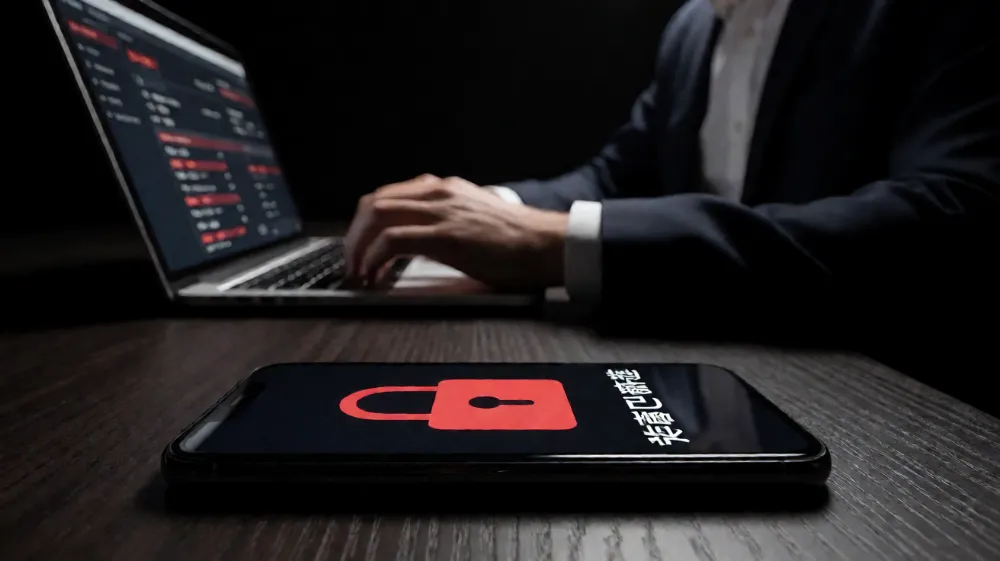
Do not treat MDM as a “one-and-done” project. It is an ongoing operational discipline.
- Automate Enrollment: Use Automated Device Enrollment (ADE) for iOS and ZTAD for Android to eliminate manual PIN entry and ensure devices are managed from the moment they power on.
- Zero Trust Architecture: Assume breach. Enforce that even managed devices must verify identity via MFA before accessing sensitive resources.
- Regular Policy Audits: Review access permissions quarterly. Remove stale policies that may conflict with new OS updates.
- Incident Response Testing: Run a quarterly “Fire Drill” where you simulate a lost device and test the remote wipe functionality to ensure the chain of command works correctly.
Frequently Asked Questions
What is the difference between MDM and Mobile Threat Defense (MTD)?
MDM manages the device configuration, app deployment, and security policies, while MTD actively scans for malware and tracks user activity to detect threats like phishing attempts or malicious app installations. Many modern platforms integrate both, but they serve distinct functions: MDM is preventive and administrative; MTD is reactive and analytical.
Can MDM work offline or in areas with no network connectivity?
Yes, MDM agents cache policies locally. If a device goes offline, it will continue to enforce existing security policies (such as locking if the passcode is wrong). However, new policy updates, remote wipe commands, or app deployments cannot be received until the device reconnects to the network. It is a “last known state” enforcement model.
Is MDM mandatory for all employees, or only those with access to sensitive data?
Security experts recommend a risk-based approach. Employees with access to customer PII, financial data, or intellectual property must have their devices under MDM control. For roles with minimal data sensitivity, a lighter “Zero Touch” enrollment or even a non-managed account may be acceptable, provided access to corporate systems is restricted.
Start Securing Your Mobile Workforce Today
Security breaches in the mobile sector are no longer just about passwords; they are about invisible vectors that standard tools miss. By implementing a robust MDM strategy, you transform your devices from liability points into secure, productive assets. The cost of a data breach dwarfs the annual license fee of any MDM platform. Do not wait for an incident to force your hand. Evaluate your current endpoint exposure and take control of your mobile infrastructure. Contact our expert team today for a free, no-obligation consultation to audit your current mobile security posture and receive a customized MDM deployment roadmap tailored to your specific hardware ecosystem and compliance requirements.
相关推荐内容
Latest Content
- Advanced Bedside Terminal Solutions: The Backbone of Modern Patient Care
- Bedside Terminal Selection Guide: Key Specs, Benefits & OEM Solutions for Hospitals
- Fleet Management Canada: 2026 Guide to Telematics & Compliance
- Rugged Tablets for Taxi Fleets: 2026 Selection Guide & TCO Analysis
- Rugged Tablet for Digital Mining: The Essential Guide to Durability in the Field
Hot product
- WMT6UQ: 6-Inch 4G Android 12 Wireless Carplay Navigator Motorcycle PND
- WT10RX: 10.1 inch rugged tablet,10.1″ sunlight-readable display,10.1" ip67 rugged tablet
- WT10MX: 10.1 inch rugged tablet 12,000 mAh,10.1″ IPS display Rugged IP65 design
- WT08Q9Y: 8 inch 10000mAh long battery rugged tablet,1000-nit rugged tablet,
- WT08M8Y: 8 inch Android 14,700-nits rugged tablet