What Is a Police MDT Screen and Why Does It Matter for Modern Law Enforcement?
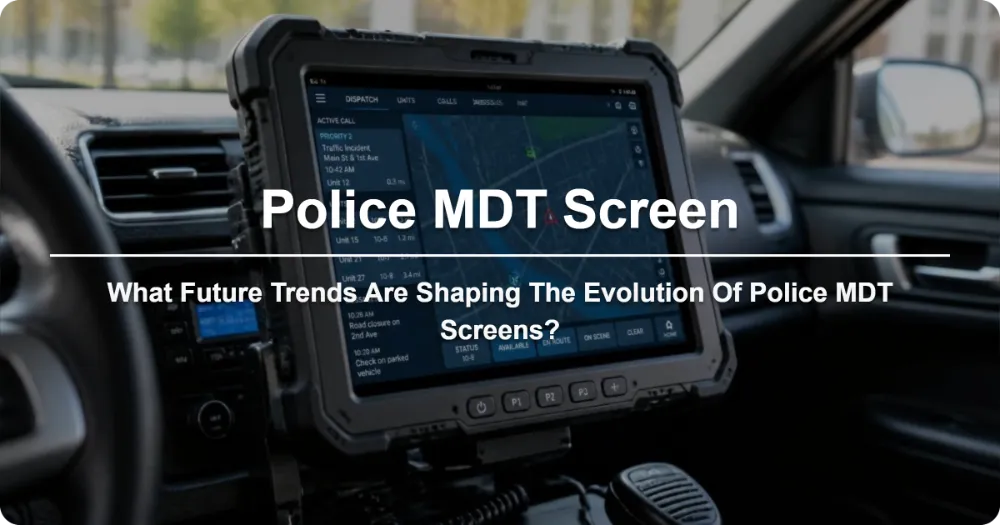
A Police MDT Screen is the display interface of a Mobile Data Terminal installed in patrol vehicles, enabling officers to access databases, file reports, run license plates, and communicate with dispatch in real time. Modern MDT screens range from ruggedized 10–12 inch displays to full Android-based touchscreens. Choosing the right one depends on durability, software compatibility, mounting ergonomics, and integration with existing CAD/RMS systems. Upgrading your MDT screen can cut response times by up to 30% and significantly reduce paperwork errors.
What Exactly Is a Police MDT Screen?
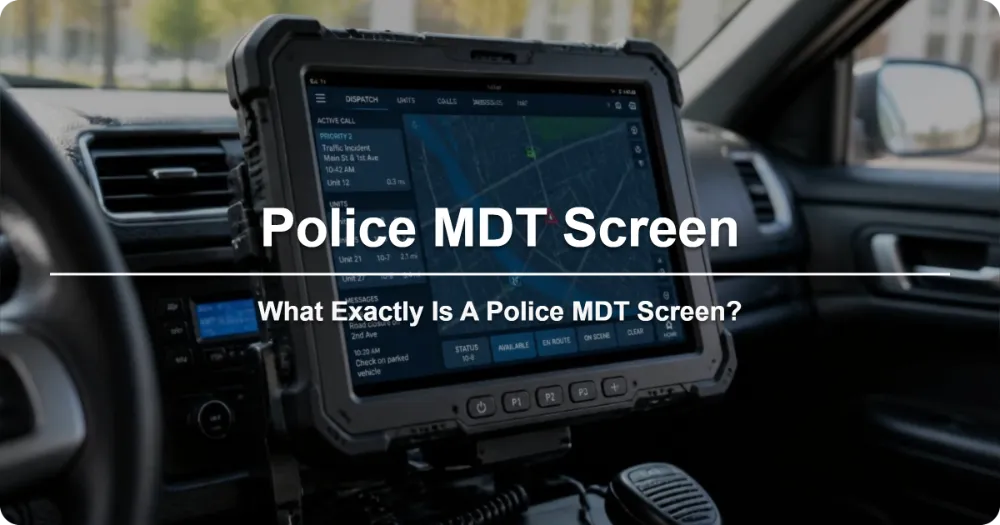
Conclusion: A police MDT screen is the visual interface through which law enforcement officers interact with their Mobile Data Terminal — the computer system inside a patrol car.
The term MDT stands for Mobile Data Terminal, and the screen is its display component. Think of it as the window into a fully equipped mobile workstation. Unlike a simple dashboard mount for a tablet, a dedicated police MDT screen is built to military-grade specifications, meaning it survives drops, vibrations, extreme temperatures, and constant use in high-stress environments.
The screen connects to a ruggedized computer unit that runs specialized law enforcement software. Through the display, officers can:
- Run NAME/VEHICLE checks against NCIC and state databases
- File traffic stops, arrests, and incident reports digitally
- Receive dispatch alerts and CAD (Computer-Aided Dispatch) updates
- View maps, GPS location, and unit status in real time
- Access booking photos, warrant information, and wanted lists
- Communicate with fellow officers and dispatch via integrated messaging
Without a reliable MDT screen, the entire mobile computing system loses its primary point of interaction. A dim, unresponsive, or poorly positioned screen can mean the difference between a smooth traffic stop and a compromised officer safety situation.
How Does a Police MDT Screen Differ from a Regular Tablet or Monitor?
Conclusion: Police MDT screens are purpose-built for law enforcement — they are far more durable, secure, and integrated than consumer tablets or standard monitors.
| Feature | Police MDT Screen | Consumer Tablet / Monitor |
|---|---|---|
| Build Rating | MIL-STD-810G / IP65 or higher | Typically none |
| Drop Resistance | Survives 4–6 ft drops on concrete | Cracks easily |
| Operating Temperature | -20°C to +60°C (-4°F to 140°F) | 0°C to 35°C (32°F to 95°F) |
| Sunlight Readability | 1000+ nits brightness, anti-glare coating | 300–500 nits, poor outdoor visibility |
| Touch Input | Glove-compatible, stylus-ready | Fingertip only |
| Mounting Options | VESA, dash, pivot, magnetic bases | Minimal |
| Software Integration | Native CAD/RMS/NCIC support | None |
| Encryption & Security | FIPS 140-2 / AES-256 hardware encryption | Basic software-level only |
| Warranty & Support | 3–5 year field service support | 1 year limited |
| Lifespan | 5–7+ years in active duty | 2–3 years |
A consumer tablet might seem like a cost-effective alternative, but in real-world patrol conditions, it simply cannot keep up. Rain, direct sunlight, glove use, and accidental drops will render a regular tablet nearly unusable within months. Police MDT screens are engineered from the ground up to solve these exact problems.
What Are the Key Types of Police MDT Screens Available Today?
Conclusion: There are three main categories of MDT screens — proprietary rugged displays, Android-based touchscreen units, and hybrid Windows/Android dual-screen systems — each suited to different agency needs.
1. Proprietary Rugged Displays (Windows-Based)
These are the traditional workhorses found in most established departments. Manufactured by companies like Panasonic (Let’s Note series), Getac, and Panasonic Toughbook, these screens run Windows IoT or full Windows 10/11 Enterprise. They are known for:
- Extremely proven reliability in decades of field use
- Deep integration with legacy CAD/RMS platforms
- Physical keyboard options for rapid data entry
- Hot-swappable battery systems in some models
2. Android-Based Touchscreen MDTs
This is the fastest-growing segment. Vendors like Zebra Technologies, Motorola Solutions, and TSP (Transportation Systems & Parts) offer sleek Android-powered MDT screens that look and feel more like smartphones or tablets. Advantages include:
- Faster boot times (under 15 seconds)
- Intuitive touch interfaces that reduce training time
- Lower total cost of ownership
- Access to a growing ecosystem of law enforcement apps
- Smaller form factor with larger effective screen real estate
3. Dual-Screen Hybrid Units
Some agencies are adopting hybrid setups — a primary Windows screen for core database operations paired with a secondary Android touchscreen for mapping, communication, or auxiliary functions. This gives officers the best of both worlds: legacy system compatibility and modern responsiveness.
What Screen Size and Resolution Should Your Agency Choose?
Conclusion: For most patrol applications, a 10–12 inch screen with at least 1920×1200 resolution offers the best balance of readability, desk space, and functionality.
| Screen Size | Best Use Case | Resolution Recommendation |
|---|---|---|
| 8–10 inches | Compact patrol cars, motorcycle units | 1280×800 minimum |
| 10–12 inches | Standard sedans and SUVs | 1920×1200 (Full HD) recommended |
| 12–15 inches | Larger vehicles, detective units | 1920×1200 or 2560×1600 |
| 15+ inches | Mobile command centers, specialized units | 2560×1600 or higher |
Why this matters: A screen that is too small forces officers to zoom in and scroll frequently, which slows down critical tasks like running a VIN check during a traffic stop. A screen that is too large can obstruct the officer’s view of the road and crowd the dashboard. The 10–12 inch sweet spot has become the industry standard for good reason.
Brightness is equally important. Look for screens rated at 800–1200 nits minimum. Many officers work night shifts, but daytime operations in direct sunlight require significant brightness to keep the screen readable. Anti-reflective coatings and auto-brightness sensors are valuable additions worth investing in.
How Critical Is Glove-Compatible Touchscreen Technology?
Conclusion: Glove-compatible touchscreens are essential for practical daily use — officers wear gloves in almost every weather condition and during tactical situations.
Standard capacitive touchscreens only respond to bare skin conductivity. This means an officer in winter gear, rain gear, or tactical gloves cannot interact with their MDT screen at all. Glove-compatible technology solves this through one of two approaches:
- Advanced capacitive sensors that detect broader touch areas and higher pressure points
- Resistive or hybrid touch layers that respond to any applied pressure
For agencies in cold-climate regions, this isn’t a nice-to-have — it’s a operational necessity. An officer pulling someone over in 20°F weather with frozen fingers needs to run a license plate check without removing their gloves. Every second spent fumbling with a screen that won’t respond is a second where situational awareness drops.
Many modern MDT screens also offer stylus support, which provides an alternative input method for officers who prefer precision over touch gestures, especially when entering detailed report text.
What Connectivity and Integration Features Must a Modern MDT Screen Support?
Conclusion: A police MDT screen must support seamless integration with CAD systems, RMS platforms, body-worn cameras, in-car cameras, and law enforcement radio networks.
Here’s what successful MDT integration looks like in practice:
CAD/RMS Integration: The screen should display real-time dispatch information, automatically pull case numbers into reports, and sync arrest records with the department’s records management system. Any lag or manual data entry here creates errors that waste time and compromise data integrity.
Body-Worn Camera (BWC) Linkage: Modern MDT screens can trigger and playback BWC footage directly. When an officer initiates a contact, the system can automatically associate the correct video recording, eliminating the need to manually tag footage later.
License Plate Reader (LPR) Alerts: Integration with ANPR/LPR systems means the MDT screen can flag stolen vehicles, wanted persons, or expired registrations in real time as the patrol car drives past.
Radio Integration: Voice-activated commands and push-to-talk functionality through the MDT screen reduce the need to handle separate radio equipment during complex incidents.
Vehicle Telemetry: Some advanced systems feed in-car camera footage, GPS coordinates, and vehicle diagnostics directly to the MDT display, creating a unified operational picture.
What Is the Typical Cost Range for a Police MDT Screen System?
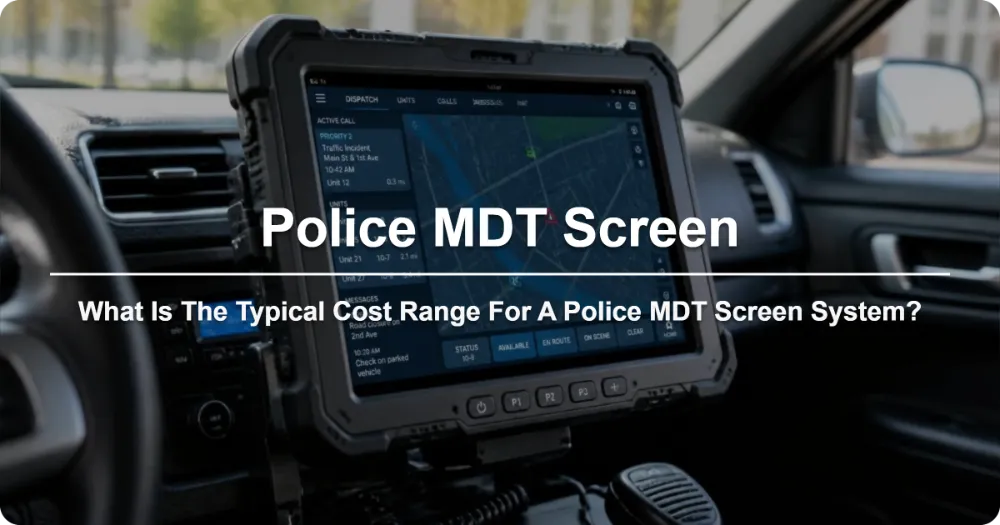
Conclusion: Expect to invest between $1,500 and $5,000 per unit for a complete MDT screen system, with enterprise licensing and mounting hardware adding to the total cost.
| Component | Price Range (USD) |
|---|---|
| MDT Screen Only (8–10″) | $800 – $1,800 |
| MDT Screen + Rugged Computer (10–12″) | $1,500 – $3,500 |
| Full System with Mounts & Cabling | $2,000 – $4,500 |
| Premium Android MDT with Dual Screen | $3,000 – $5,000+ |
| Annual Software Licensing (per unit) | $300 – $800 |
| Mounting Hardware (VESA/Dash/Pivot) | $150 – $400 |
| Installation Labor (per vehicle) | $200 – $500 |
Total fleet deployment example: For a department equipping 20 patrol vehicles with mid-range MDT systems, the total investment typically falls between $50,000 and $100,000 including hardware, software licenses, mounting, and professional installation.
While the upfront cost is significant, agencies consistently report ROI within 18–24 months due to reduced paperwork time, fewer manual data entry errors, faster response coordination, and improved officer productivity. Many departments also qualify for DOJ COPS Office grants and state-level technology replacement funds to offset costs.
How Do You Properly Mount and Position an MDT Screen in a Patrol Vehicle?
Conclusion: Correct mounting and ergonomic positioning are just as important as the screen hardware itself — poor placement can compromise both officer safety and system usability.
The three most common mounting solutions are:
Pivot Arm Mounts: These offer the greatest flexibility, allowing the screen to be rotated, tilted, and positioned at various distances from the dashboard. Ideal for agencies that need to share vehicles between officers with different height and seating preferences.
VESA Direct Mounts: These attach the screen directly to a flat surface using standard VESA patterns (75×75mm or 100×100mm). More permanent and stable but less adjustable. Common in newer patrol vehicle designs.
Magnetic/Base Mounts: Quick-release systems that allow officers to detach the MDT screen and take it with them when exiting the vehicle. Useful for detective units and plainclothes operations.
Ergonomic guidelines recommend:
- Screen center positioned at or slightly below eye level when seated
- Viewing angle between 10–30 degrees from horizontal
- Minimum 8 inches of clearance between screen and steering wheel
- No obstruction of forward roadway visibility or instrument cluster
Improper mounting doesn’t just cause discomfort — it creates safety hazards. A screen that forces an officer to look away from the road for extended periods, or one that blocks critical dashboard indicators, can contribute to accidents or delayed threat recognition.
What Maintenance and Support Considerations Should Agencies Plan For?
Conclusion: Proactive maintenance and a solid support plan can extend MDT screen lifespan to 5–7 years and prevent costly downtime during critical operations.
Key maintenance practices include:
- Monthly screen cleaning with anti-static, screen-safe wipes to prevent buildup that reduces visibility
- Quarterly cable and connector inspections to catch fraying or loose connections before they cause failures
- Software update scheduling — most vendors recommend updating firmware at least twice yearly
- Battery health monitoring on wireless/dockable units to prevent unexpected power loss
- Screen calibration checks every 6 months to ensure touch accuracy and color consistency
When selecting an MDT provider, prioritize vendors that offer:
- Next-day or 48-hour replacement programs for field failures
- Dedicated law enforcement technical support (not general IT helpdesks)
- On-site service availability within your region
- Extended warranty options beyond the standard 1–2 years
- Training and documentation for both technicians and end-users
An MDT screen failure during a critical incident is not a convenience issue — it’s a mission-critical problem. Having a clear support pathway and backup procedures is non-negotiable.
What Are the Most Common Mistakes Agencies Make When Upgrading MDT Screens?
Conclusion: The most frequent mistakes include choosing screen size without testing in actual patrol vehicles, ignoring software compatibility, and underestimating total cost of ownership.
Mistake #1: Buying Without a Field Trial
Many agencies purchase MDT screens based on spec sheets alone. The screen that looks perfect in a brochure may be too bright, too large, or too difficult to read in an actual patrol car under real lighting conditions. Always request a demo unit for field testing before committing to a fleet-wide purchase.
Mistake #2: Overlooking Software Compatibility
A beautiful new screen is useless if it can’t run your department’s existing CAD and RMS software. Before purchasing, verify that the MDT screen’s operating system and hardware specs are fully compatible with your current software stack. Legacy systems sometimes require specific processor architectures or operating system versions.
Mistake #3: Ignoring Officer Feedback
Officers are the end users, yet their input is often the last thing considered in MDT procurement. Screen glare, touch sensitivity, keyboard layout, and mounting position all affect daily usability. Include patrol officers in the selection process — their feedback can prevent costly regrets down the line.
Mistake #4: Underestimating Installation Complexity
MDT screen installation is not a plug-and-play endeavor. It involves wiring, mounting, software configuration, network integration, and testing. Budget time and resources for professional installation rather than attempting DIY setup, which can void warranties and create safety issues.
What Future Trends Are Shaping the Evolution of Police MDT Screens?
Conclusion: AI-powered voice commands, augmented reality overlays, and deeper IoT vehicle integration are the next frontiers for MDT screen technology.
Several trends are already emerging:
AI and Voice Control: Next-generation MDT screens are incorporating voice-activated commands powered by natural language processing. Officers can dictating reports, querying databases, or sending status updates hands-free — a critical advancement for officer safety during active incidents.
Augmented Reality (AR) Integration: Some forward-looking agencies are experimenting with AR overlays on MDT screens that can display building floor plans, suspect information, or navigational arrows directly on the screen during pursuit or surveillance operations.
5G and Edge Computing: Faster cellular connectivity combined with edge computing means MDT screens can access cloud-based databases and video feeds with near-zero latency, enabling real-time sharing of high-definition body cam footage and live map data.
Modular Design: The industry is moving toward modular MDT systems where screens, computers, and peripherals can be upgraded independently. This means agencies can replace just the screen when technology advances without discarding the entire system.
Biometric Authentication: Fingerprint and facial recognition built directly into MDT screens are becoming standard, providing faster and more secure logins than traditional password-based systems.
FAQ:
Q1: What is the difference between an MDT and an Mobile Computer Terminal (MCT)?
A1: In practice, MDT and MCT are used interchangeably in law enforcement. Both refer to the ruggedized in-vehicle computing system. Some vendors use “MCT” to denote newer Android-based units while “MDT” refers to traditional Windows-based systems, but there is no formal industry distinction.
Q2: Can a police MDT screen work in extreme cold weather?
A2: Yes. Quality police MDT screens are rated for operating temperatures as low as -20°C (-4°F) and many military-spec units handle even lower temperatures. Liquid crystal response times can slow in extreme cold, but modern screens use heating elements to maintain responsiveness.
Q3: How long does a police MDT screen typically last?
A3: With proper maintenance, a police MDT screen lasts 5–7 years in active patrol service. Some units remain in operation for 8+ years, though software compatibility may become an issue after year 5. Battery-backed dockable units may need battery replacement every 2–3 years.
Q4: Is it worth upgrading from an old CRT-style MDT to a modern LCD screen?
A4: Absolutely. Modern LCD MDT screens offer 3–5x better readability, touch capabilities, faster processing, lower power consumption, and significantly smaller form factors. Many agencies report that officers adopt new systems faster and use them more frequently after upgrading from legacy CRT displays.
Q5: Can officers use MDT screens with bulletproof or tactical gloves?
A5: Yes, provided the screen has glove-compatible touch technology. Look for screens specifically rated for glove operation — they use enhanced capacitive sensors or hybrid touch layers that respond to pressure rather than skin conductivity. Always verify glove compatibility before purchasing.
Q6: What certifications should a police MDT screen have?
A6: Key certifications include MIL-STD-810G (military durability), IP65 or higher (dust and water resistance), FIPS 140-2 (data encryption), NIST 800-171 (cloud security for federal contracts), and TAA compliance (for government procurement). These ensure the screen meets law enforcement standards.
Q7: How do I calculate the total cost of ownership for an MDT screen system?
A7: Include hardware cost, mounting hardware, installation labor, software licensing (annual), maintenance contracts, eventual battery replacements, and potential upgrade cycles. A useful rule of thumb: multiply the initial hardware cost by 1.5–2x to account for 5-year total ownership costs including all accessories and software.
Need Help Choosing the Right Police MDT Screen for Your Agency?
If you’re a law enforcement administrator, IT procurement officer, or fleet manager responsible for equipping patrol vehicles, the right MDT screen system can transform your department’s operational efficiency. Don’t leave this decision to guesswork.
✅ Request a free consultation — Our law enforcement technology specialists will assess your agency’s specific needs and recommend the optimal MDT screen configuration for your fleet size, vehicle types, and budget.
✅ Schedule a live field demo — See the top MDT screen systems in action inside an actual patrol vehicle before you commit to a purchase.
✅ Access grant writing assistance — We help agencies identify and apply for DOJ COPS Office, state, and federal technology grants that can cover 50–100% of your MDT upgrade costs.
👉 Contact us today to schedule your no-obligation MDT screening assessment and discover how modern mobile data terminal technology can strengthen your department’s readiness.
References
- International Association of Chiefs of Police (IACP) — Mobile Data Terminal Best Practices Guide: https://www.theiacp.org
- DOJ COPS Office — Technology Grant Programs: https://cops.ojp.gov
- NIST Special Publication 800-171 — Protecting Controlled Unclassified Information: https://nvlpubs.nist.gov
- MIL-STD-810H — Environmental Engineering Considerations: https://www.dau.edu
- Zebra Technologies Law Enforcement Solutions: https://www.zebra.com/us/en/products/mobile-computers.html
- Motorola Solutions Mission-Critical Communications: https://www.motorolasolutions.com
相关推荐内容
Latest Content
- Rugged Tablet for Digital Mining: The Essential Guide to Durability in the Field
- Sunlight Readable Tablet: The Ultimate Guide to Choosing the Right Display for Outdoor Work
- Mobile Device Management (MDM) Solutions: The Complete Guide for 2026
- Rugged Tablet for Mining: Specs, Comparison & Buyers Guide
- Rugged Tablet for Fleet Management: The 2026 Guide to Choosing the Right Device
Hot product
- WMT6UQ: 6-Inch 4G Android 12 Wireless Carplay Navigator Motorcycle PND
- WT10RX: 10.1 inch rugged tablet,10.1″ sunlight-readable display,10.1" ip67 rugged tablet
- WT10MX: 10.1 inch rugged tablet 12,000 mAh,10.1″ IPS display Rugged IP65 design
- WT08Q9Y: 8 inch 10000mAh long battery rugged tablet,1000-nit rugged tablet,
- WT08M8Y: 8 inch Android 14,700-nits rugged tablet